
User Guide
Contents
- 01Before You Start
- 02Building Your Roster
- 03Scheduling Games
- 04Practice Mode
- 05Gameday Kickoff
- 06The Four Buttons
- 07Scoring
- 08Turnovers
- 09Penalties
- 10In-Game Corrections
- 11Offline & Reconnect
- 12Quarters, Halftime & Overtime
- 13Live Stats
- 14Game End & Reports
- 15The Admin Dashboard
- 16Troubleshooting
- 17Live Scoreboard & Share Link
- 18Advanced Situations
- AAppendix A — Glossary
- BAppendix B — Four-Button Quick Reference
- CAppendix C — Support
01Before You Start
XO Stats replaces the midnight stat cleanup with live, verified Game Tracking. Before your first snap, know the three surfaces, how your account gets set up, and who does what.
Three Places You'll Work
| Surface | Who uses it | What it's for |
|---|---|---|
| XO Stats app | The Stat Keeper, on the sideline | Gameday Game Tracking: coin toss, plays, scores, corrections, live stats. |
| Admin Dashboard | Coaches & staff, at a desk | Setup and review: team details, roster, schedule, box scores, reports, share links. admin.xostats.com |
| xostats.com | Everyone | Help, support, and the way back to the right login. |
Keep the lanes separate. The app is built for speed under pressure. Admin is built for prep and review. The website is the support door.
Concierge Setup — Your Team Is Ready
New programs don't build everything from scratch. XO Stats uses a concierge setup: your program claims the team, we provision the account, and your staff logs in with access already tied to the right team. The Stat Keeper should never be fighting account setup at kickoff.
Roles: Owner and Member
Access is simple. Each team has an owner (usually the head coach or program admin) and members (staff and Stat Keepers). That's it — there are no separate "statistician" or "team admin" role tiers to configure. If someone needs access, route them through the owner or the claim-your-team path.
One person owns the phone during the game. Their entire job: track the football action as it happens. Everything else in this guide exists to make that job narrow and repeatable.
02Building Your Roster
The roster is season infrastructure. Build it once, use it every week. Clean roster data makes every pass, run, tackle, kick, and return easier to record.
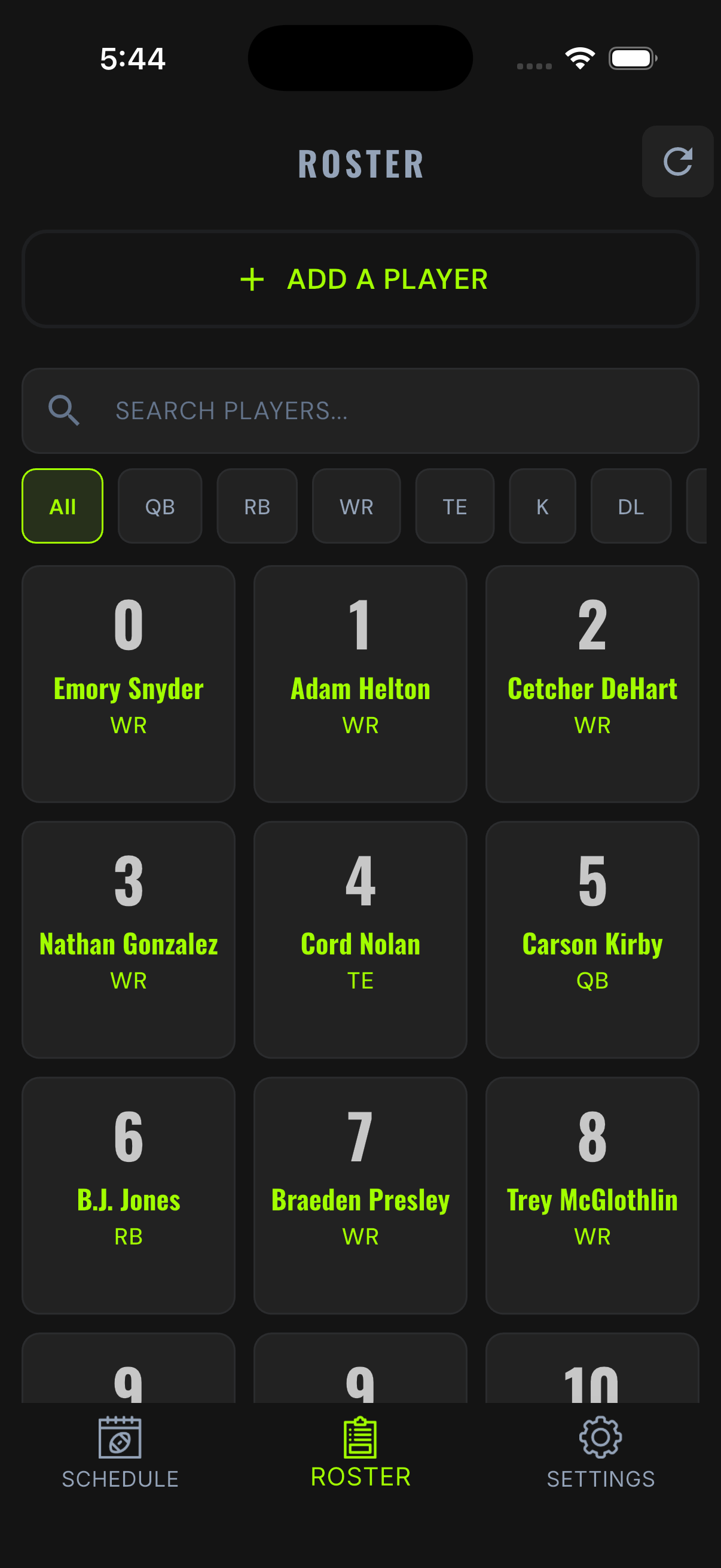
Adding Players in the App
- Open the Roster tab from the home screen.
- Tap Add a Player.
- Enter name, jersey number, and position. Save.
Mid-Game Quick Add
Discover a missing player during the game? The player picker inside every play flow includes an add-player path. Add the name and number, finish the play, and move on. Fix the position later in Admin.
Opponent Rosters
If your opponent uses XO Stats, their roster will appear during the game. If they are not an XO Stats user, their roster will include a number placeholder that can be used during the game.
Bulk Roster Upload
Upload your roster via CSV or Excel file to add the roster in a few clicks.
Two players can share a jersey number only if they never play on the same side of the ball. If #24 plays both offense and defense, only one #24 exists on your roster.
03Scheduling Games
Games start from the schedule. Your Stat Keeper should open the app on Friday and see the right game waiting.
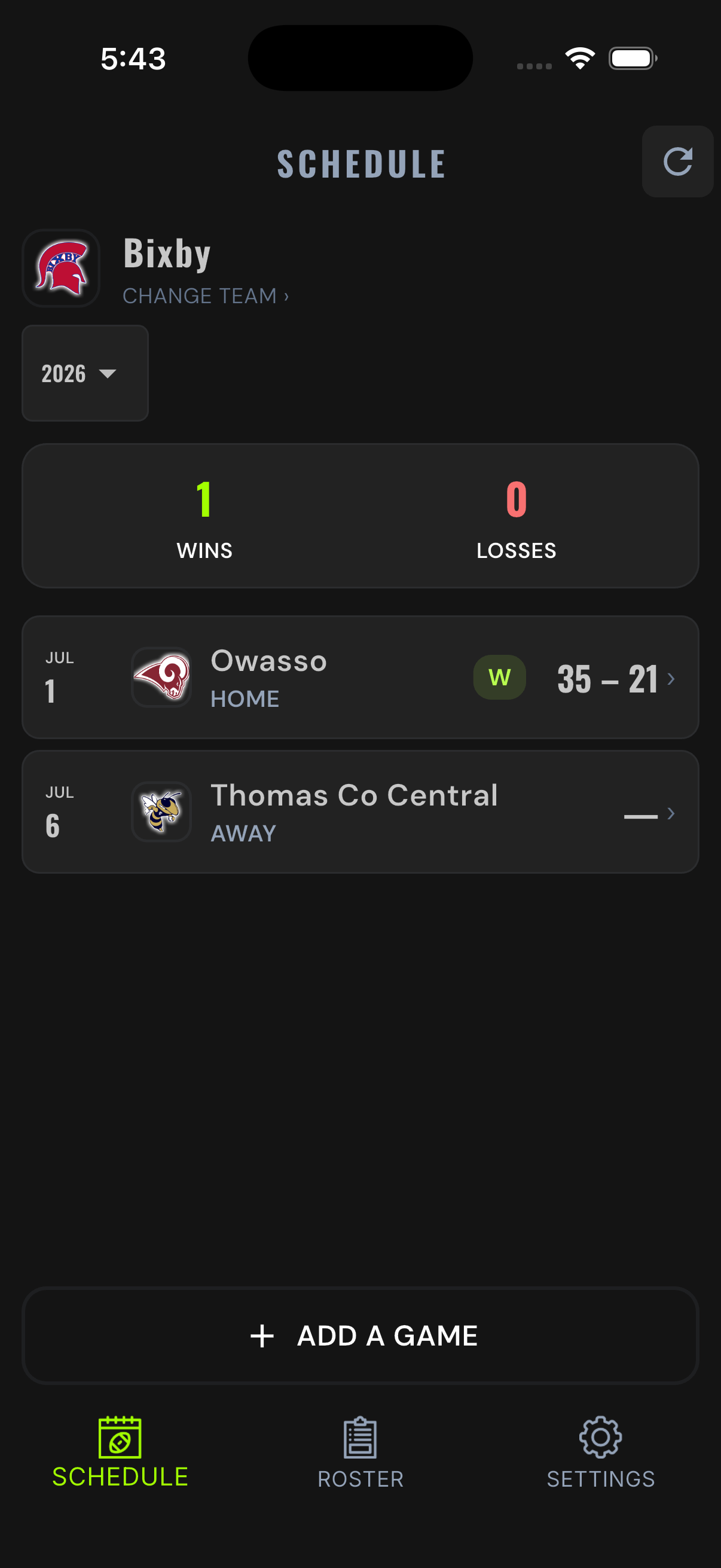
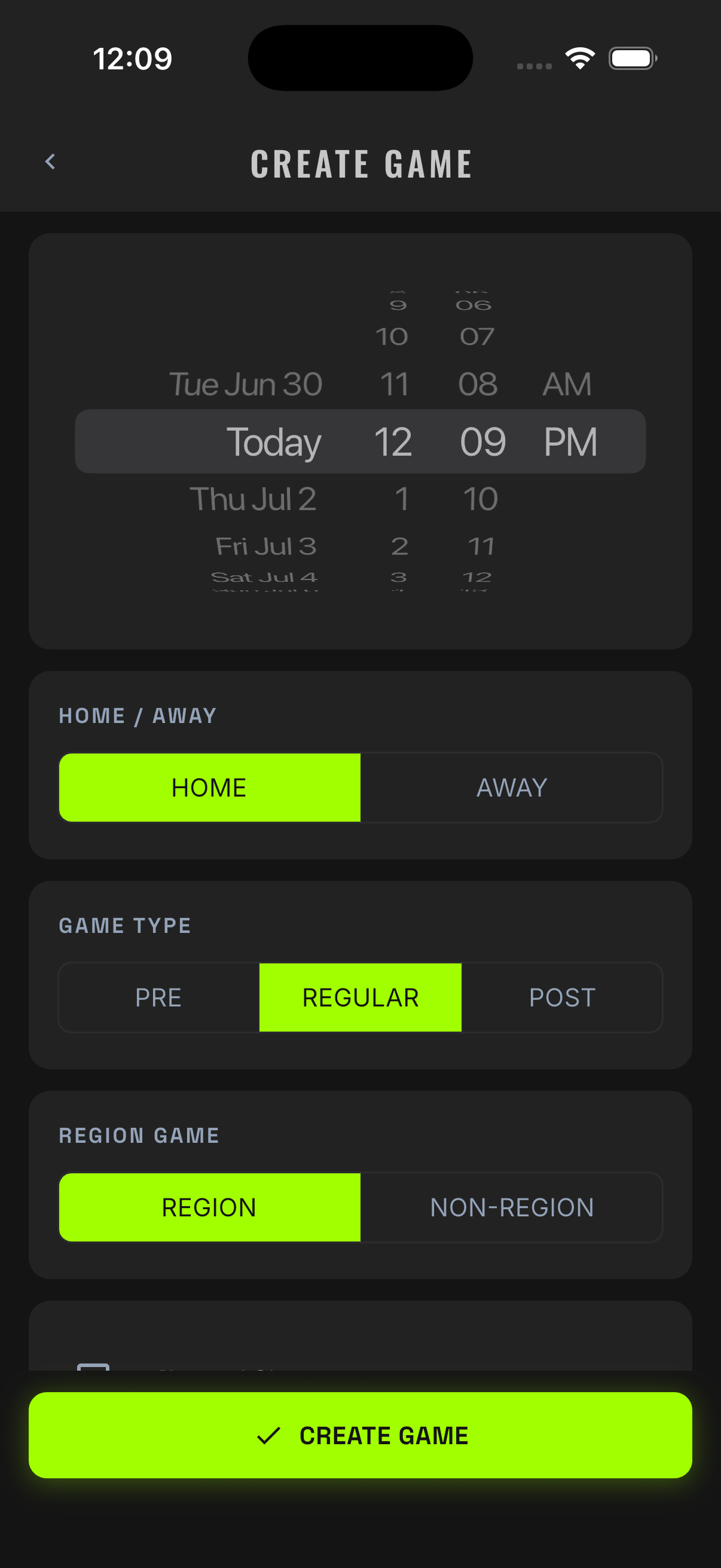
Creating a Game
- Home screen → Schedule tab → Add a Game.
- Set the date and time.
- Pick the opponent.
- Set the game type (pre-season, regular, post-season).
- Set home or away. Save.
Why Home/Away Matters
The schedule is more than a calendar. Home/away and field direction feed the engine that computes field position, drive direction, and yardage for every play you enter. Get the setup right and the math is right all night.
If the opponent or location is wrong, fix it before the first quarter. The sideline starts calmer when the game is already sitting in the schedule, correct.
04Practice Mode
Practice Mode is the first assignment. Full sandbox, demo teams, nothing saves to your program. Do not wait for third-and-eight on Friday to learn the screen.
Launching It
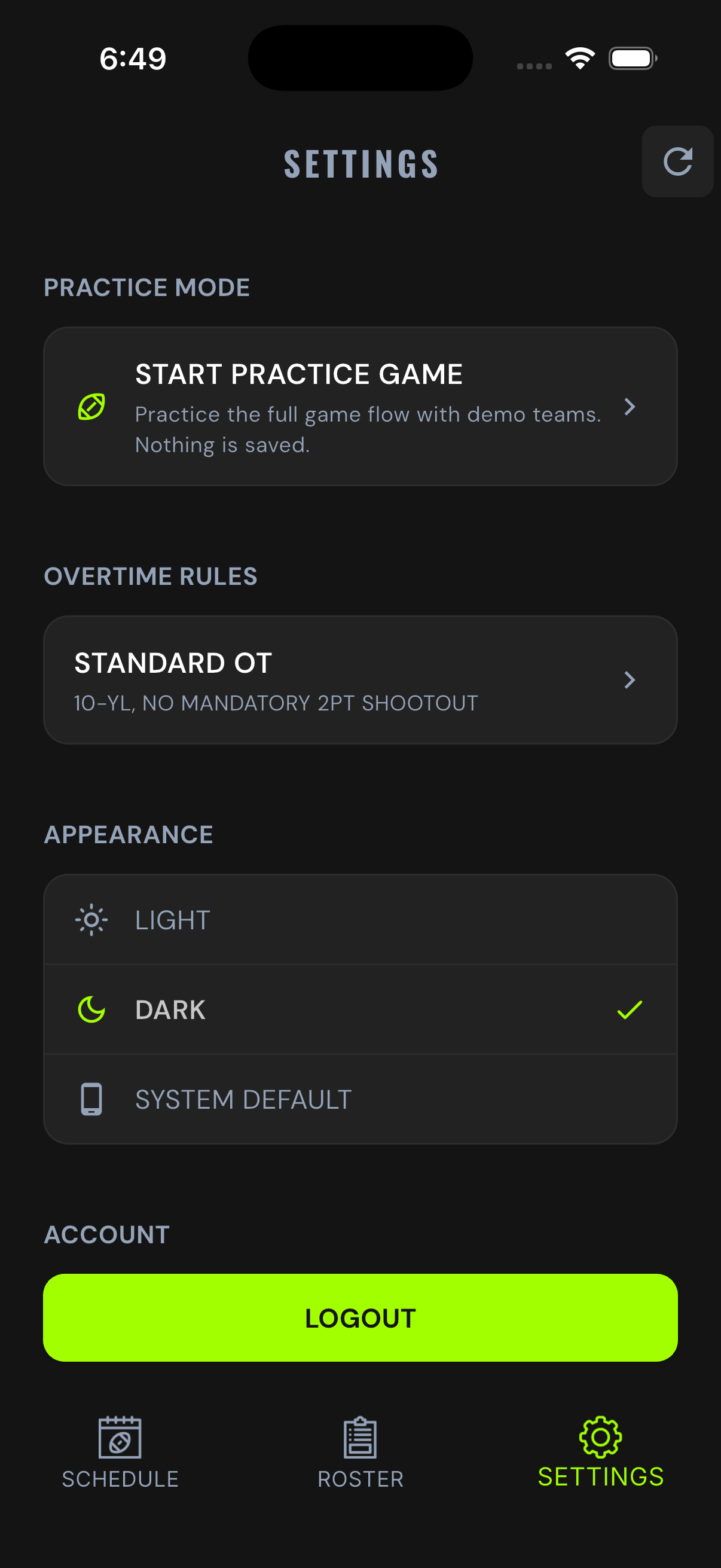
- Open the Settings tab.
- Tap Start Practice Game.
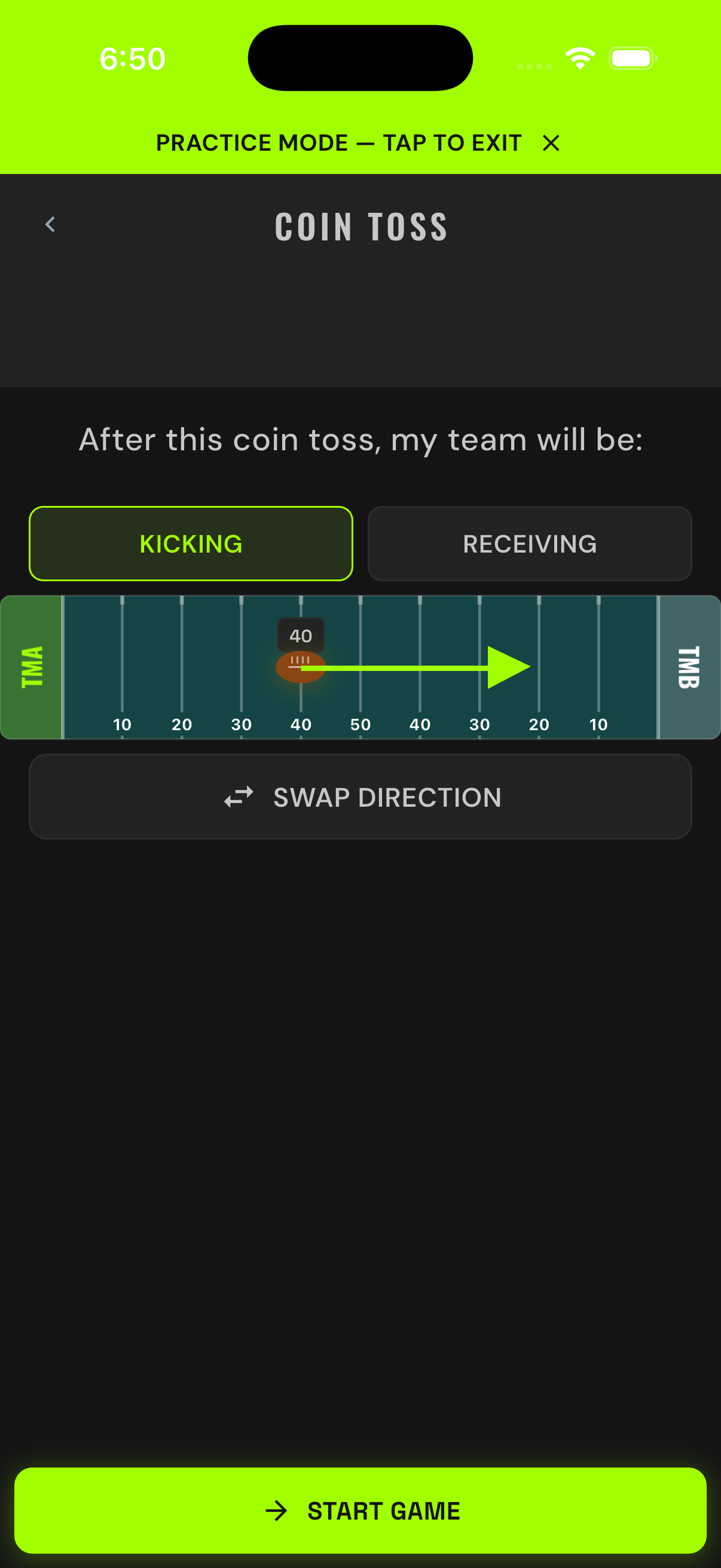
- You'll land at a coin toss between the demo teams TEAM A and TEAM B.
The Confidence Checkpoint
Before running a real game, your Stat Keeper should complete every item below in Practice Mode:
- Set the coin toss and field direction, then log a kickoff.
- Record a run, a completed pass, and an incomplete pass.
- Record a penalty.
- Score a touchdown and log the PAT.
- Make a deliberate mistake, then fix it with undo.
- Check the live stats tabs.
- End a quarter.
Practice Mode never touches your program's data. Tap freely. Break things. That's what it's for.
05Gameday Kickoff
The first live chain in the game record. Slow down for one minute and get it right — everything downstream builds on it.
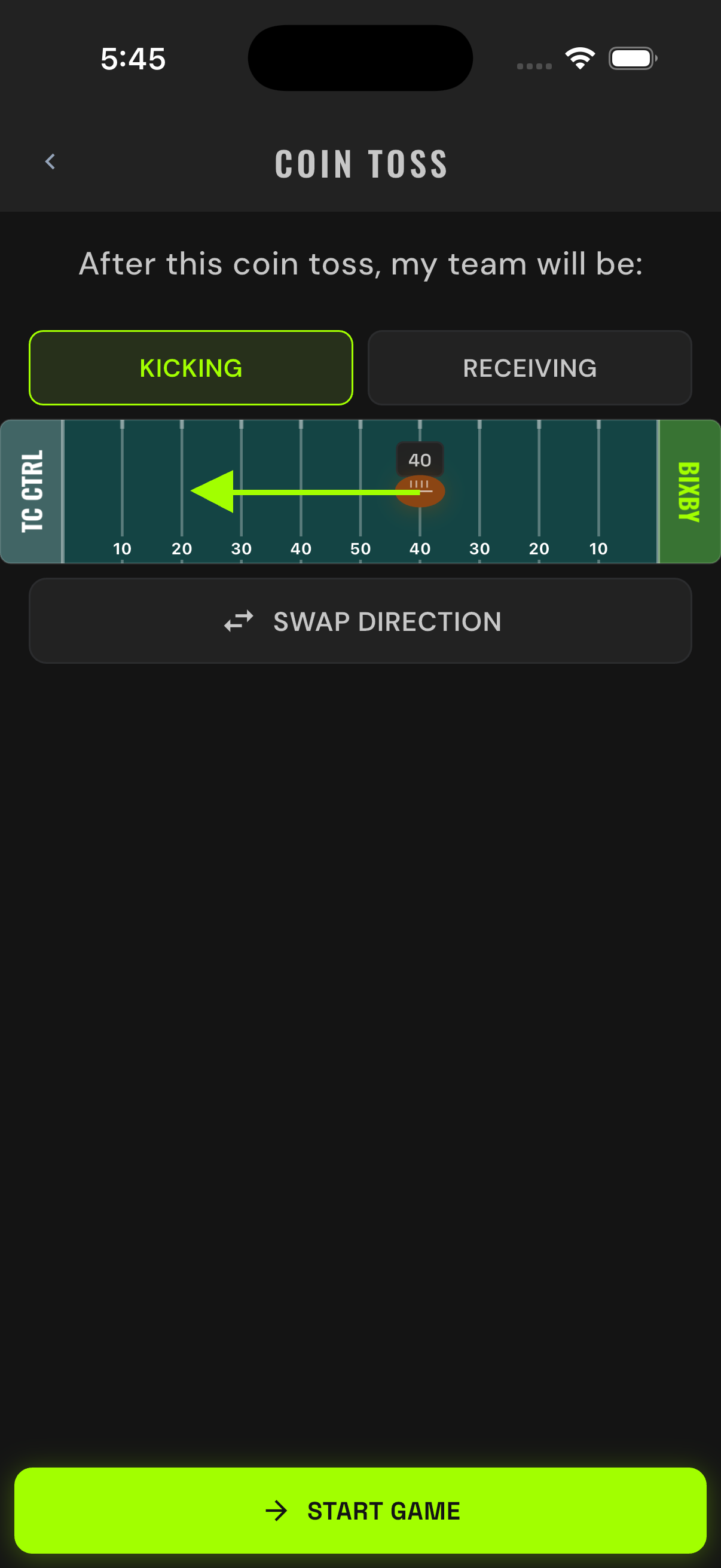
Coin Toss and Field Direction
- Open the game from the schedule.
- Set who is kicking and who is receiving.
- Point the field arrow in the direction your team is driving. The engine needs to know which way the ball is moving to compute yardage correctly.
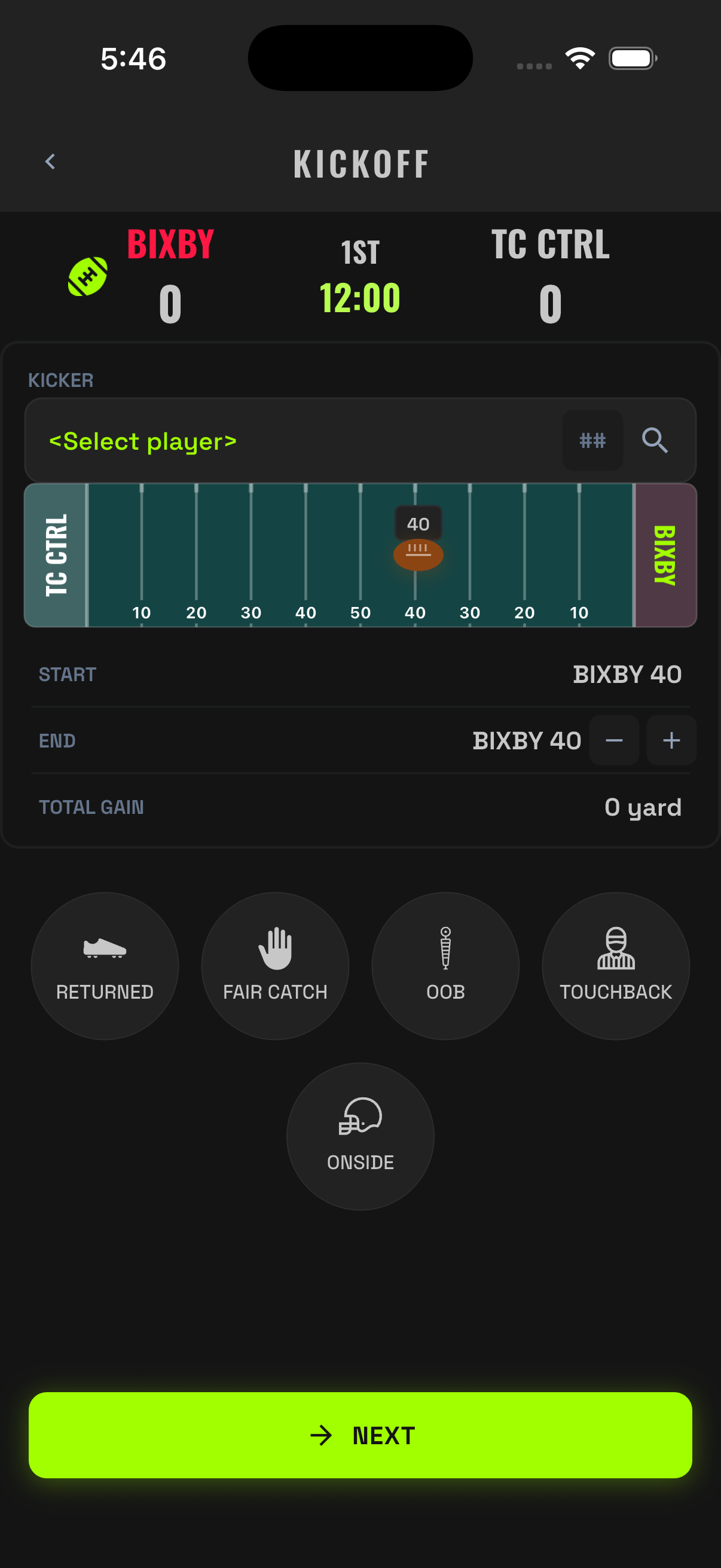
Recording the Kickoff
Log what actually happened: the kicker, where the ball landed, and the outcome — returned, fair catch, touchback, out of bounds, downed, or onside.
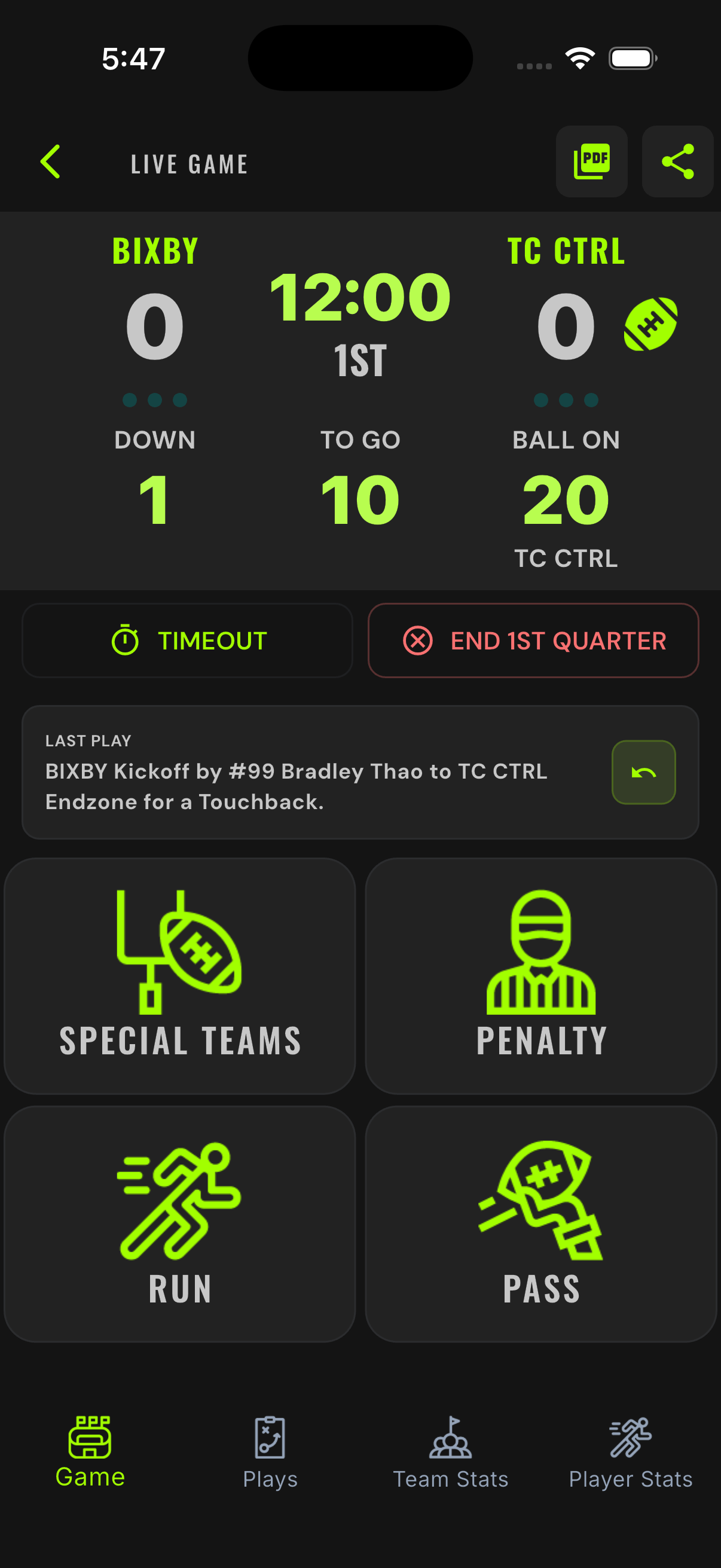
The Post-Kickoff Board Check
After the kickoff saves, the game board takes over. Before the first offensive snap, verify three things:
- Possession football points at the right team.
- Down and distance reads 1st & 10.
- Ball spot matches the field.
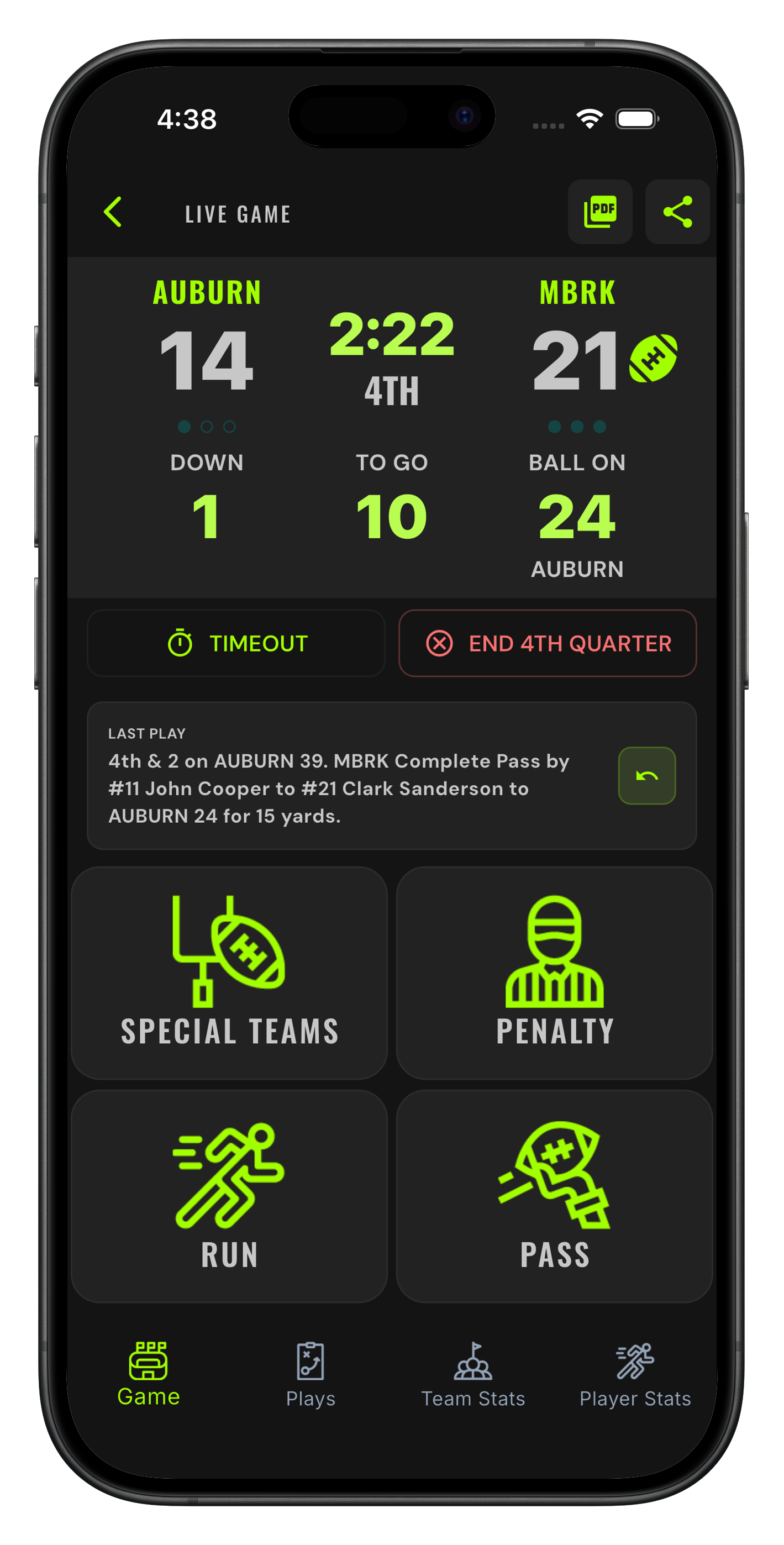
06The Four Buttons
Four buttons carry the whole game:
- Run
- Pass
- Special Teams
- Penalty
Pick the button for what happened first and most clearly. The app asks the football questions after that.
Run
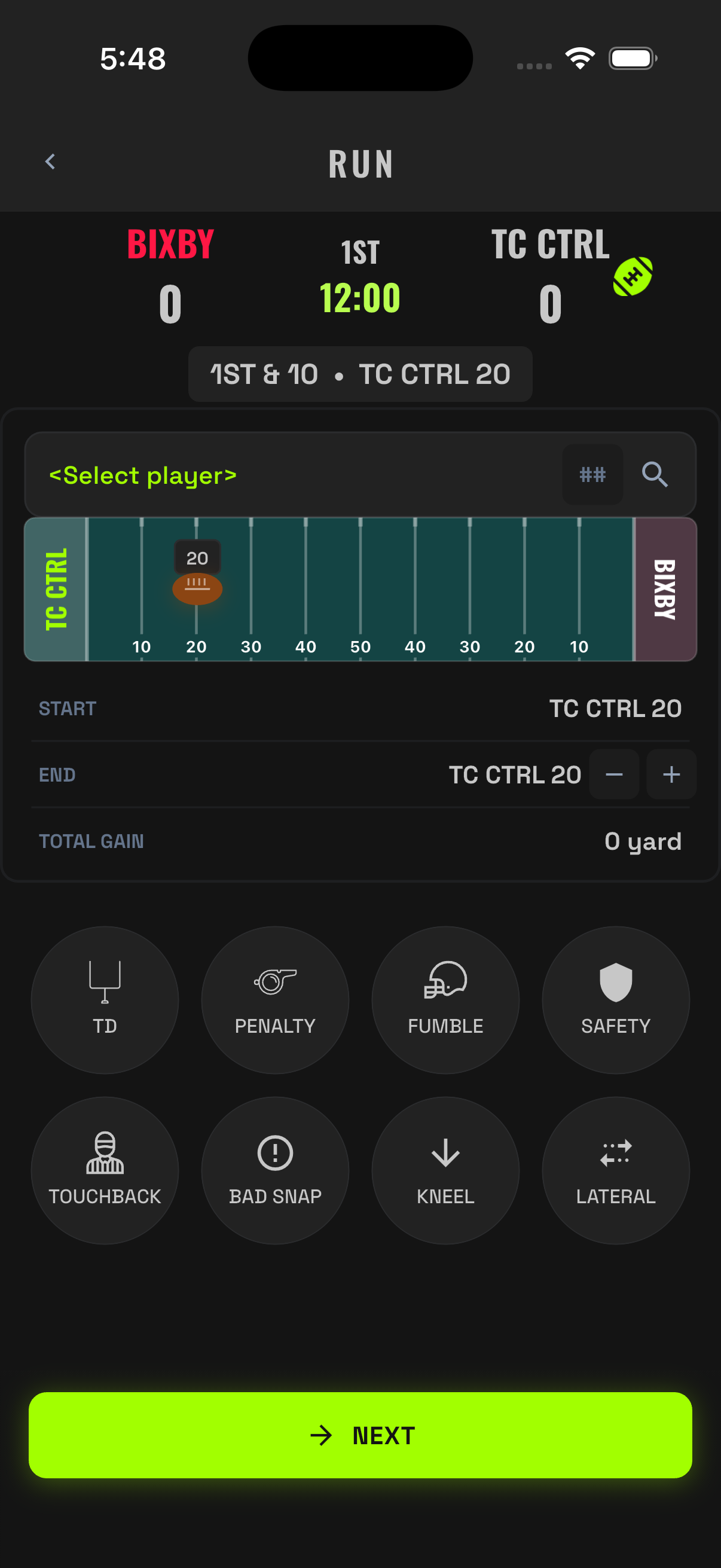
Any designed rush or scramble. A sack also starts here in the record — sacks count as rush attempts.
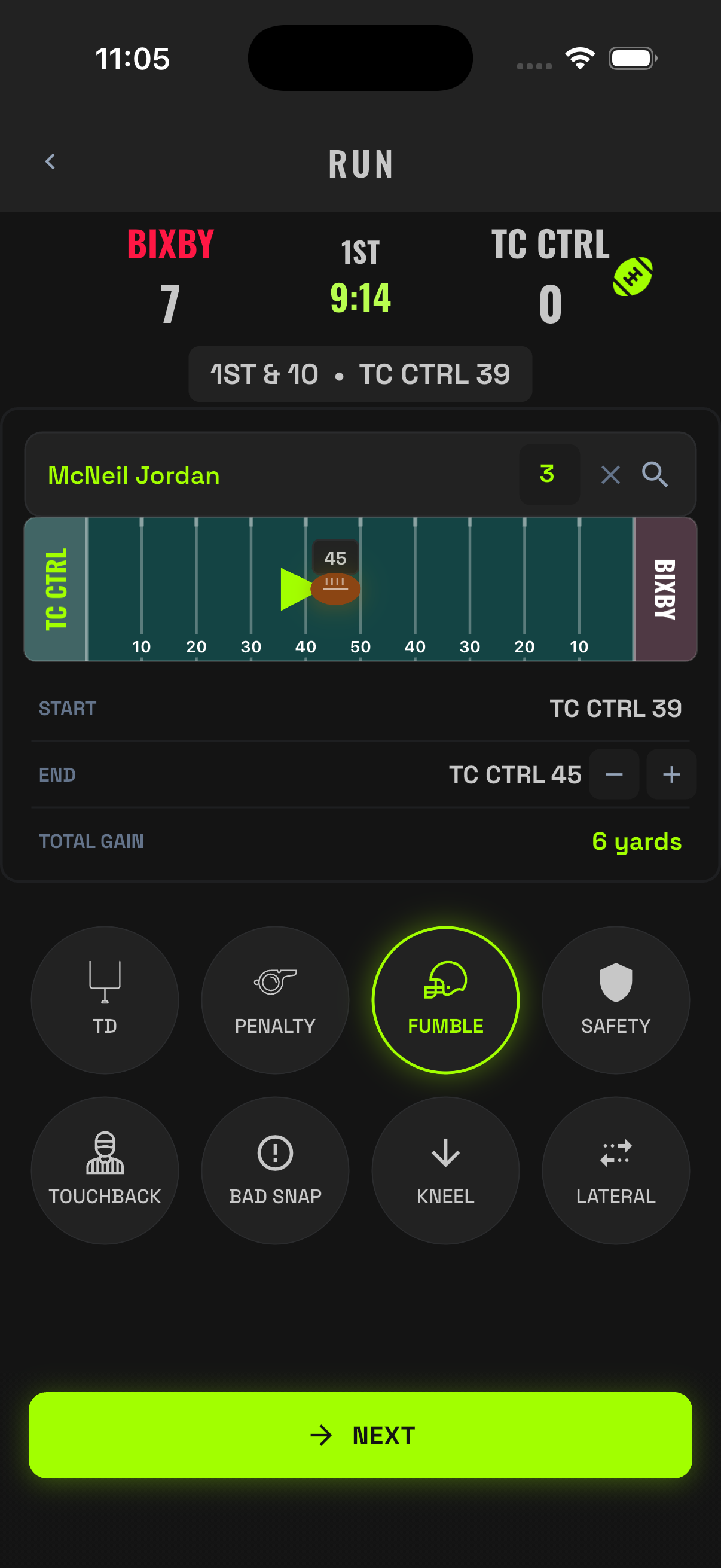
- Tap RUN and pick the ball carrier.
- Drag the ball, tap the spot on the field, or tap + or − to where the play ended. The app computes the yardage.
- Tag anything that happened with the outcome bubbles: TD, Penalty, Fumble, Safety, Touchback, Bad Snap, Kneel.
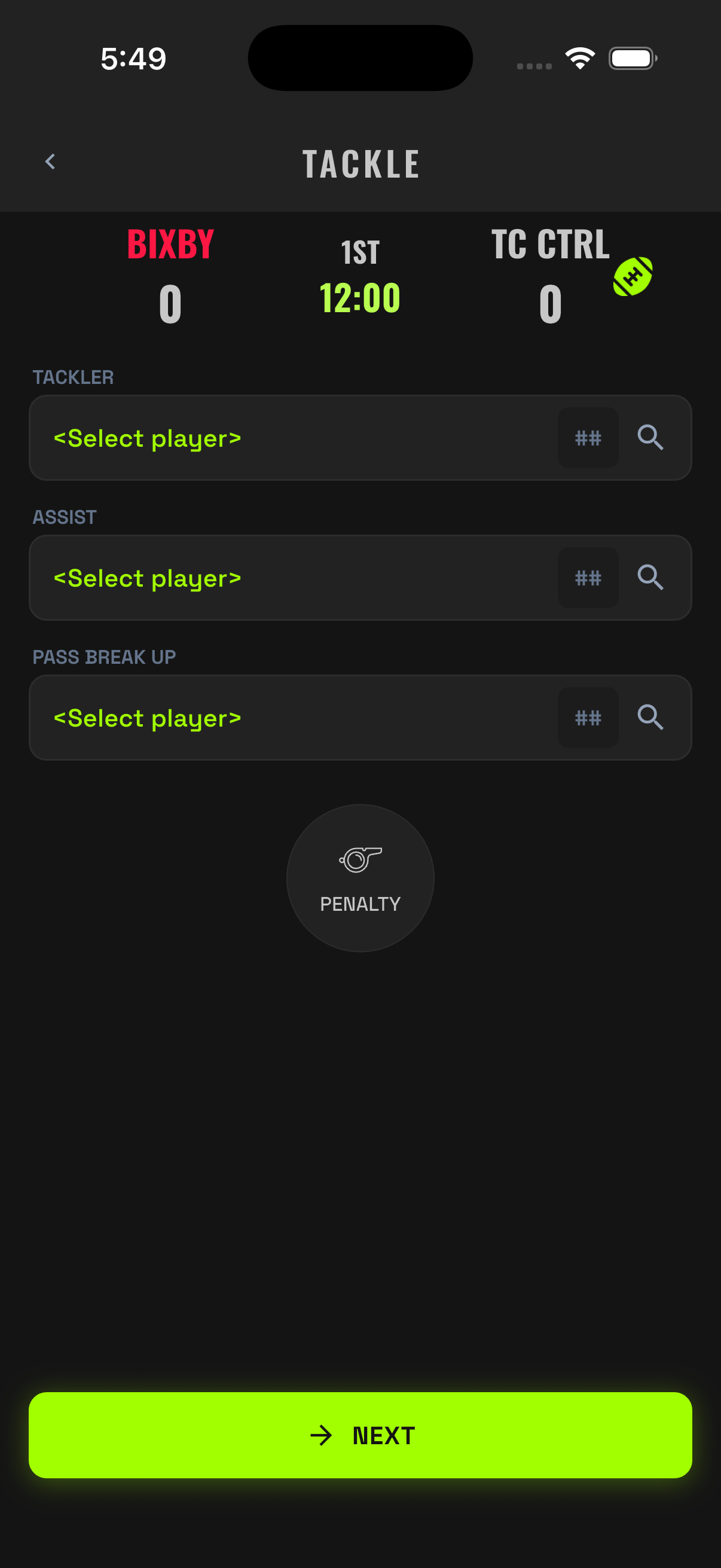
- Attribute the tackle (optional, especially for the other team). Save.
Pass
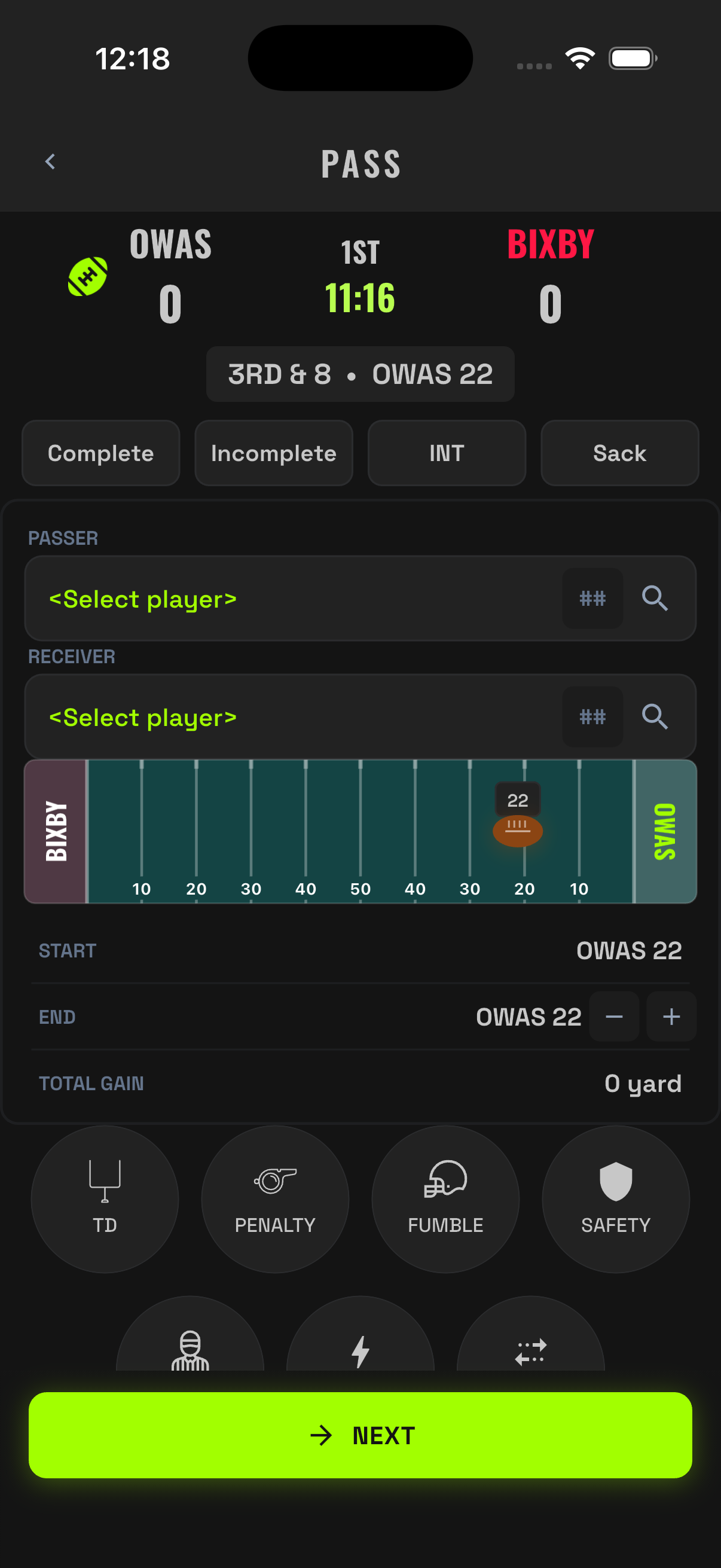
Any dropback: completion, incompletion, sack, or interception.
- Tap PASS. Pick the passer and the receiver (or target).
- Mark the result with the result chips — Complete, Incomplete, INT, or Sack — and the spot where the play ended.
- Tag outcomes as needed (TD, penalty, fumble after the catch).
- Save. The ledger, drive, down & distance, and stat totals update instantly.
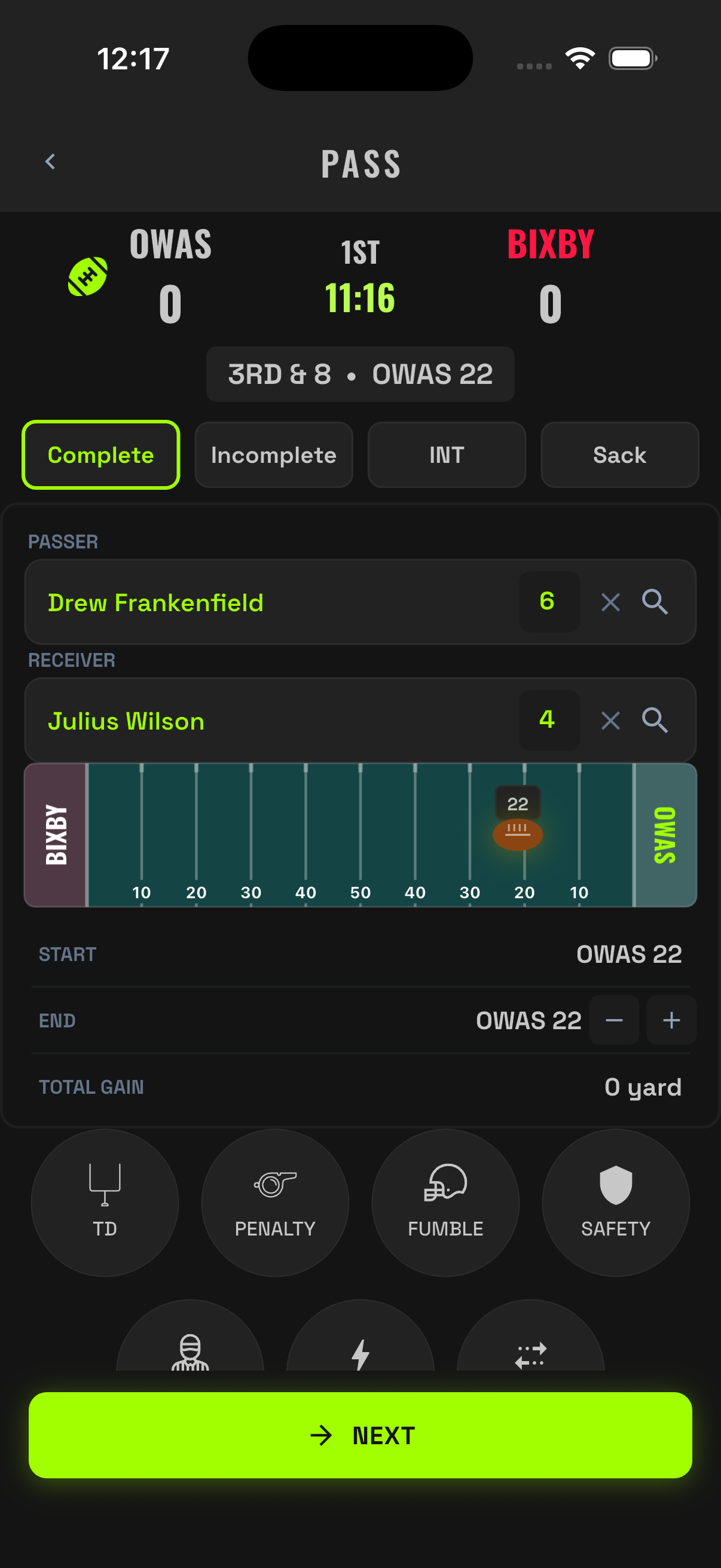
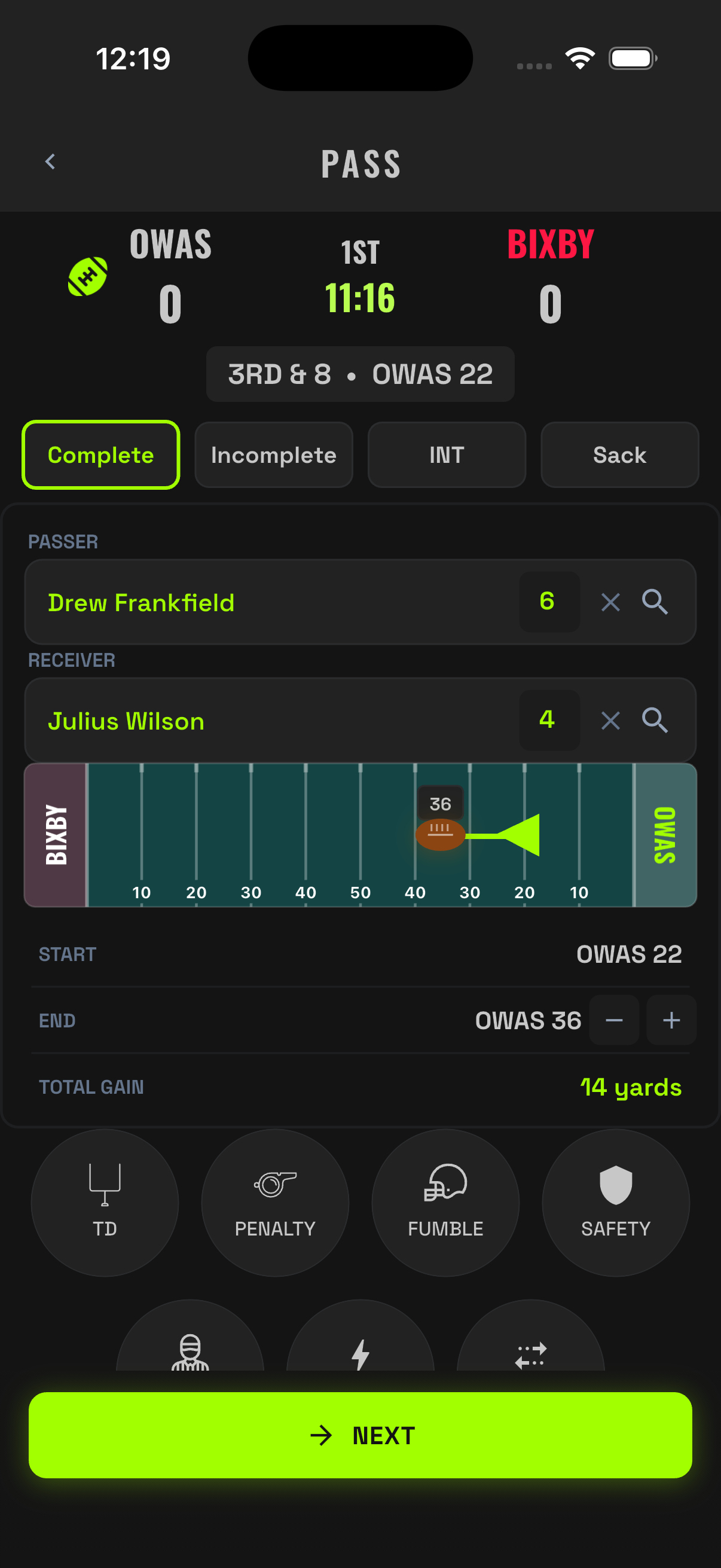
Passing yards count on completions only. An incompletion records the attempt and nothing else — the app follows the standard rulebook so your numbers hold up.
Special Teams
Kickoffs, punts, field goals, and PATs all live behind one button. Pick the kick type, then log the outcome:
| Kick | Outcomes you'll log |
|---|---|
| Kickoff | Returned, fair catch, touchback, out of bounds, onside |
| Punt | Returned, downed, fair catch, out of bounds, touchback, blocked, blocked + safety |
| Field Goal | Good, no good, blocked |
| PAT | Good, no good, blocked |
Returns prompt for the returner and the end spot, so return yardage lands on the right player.
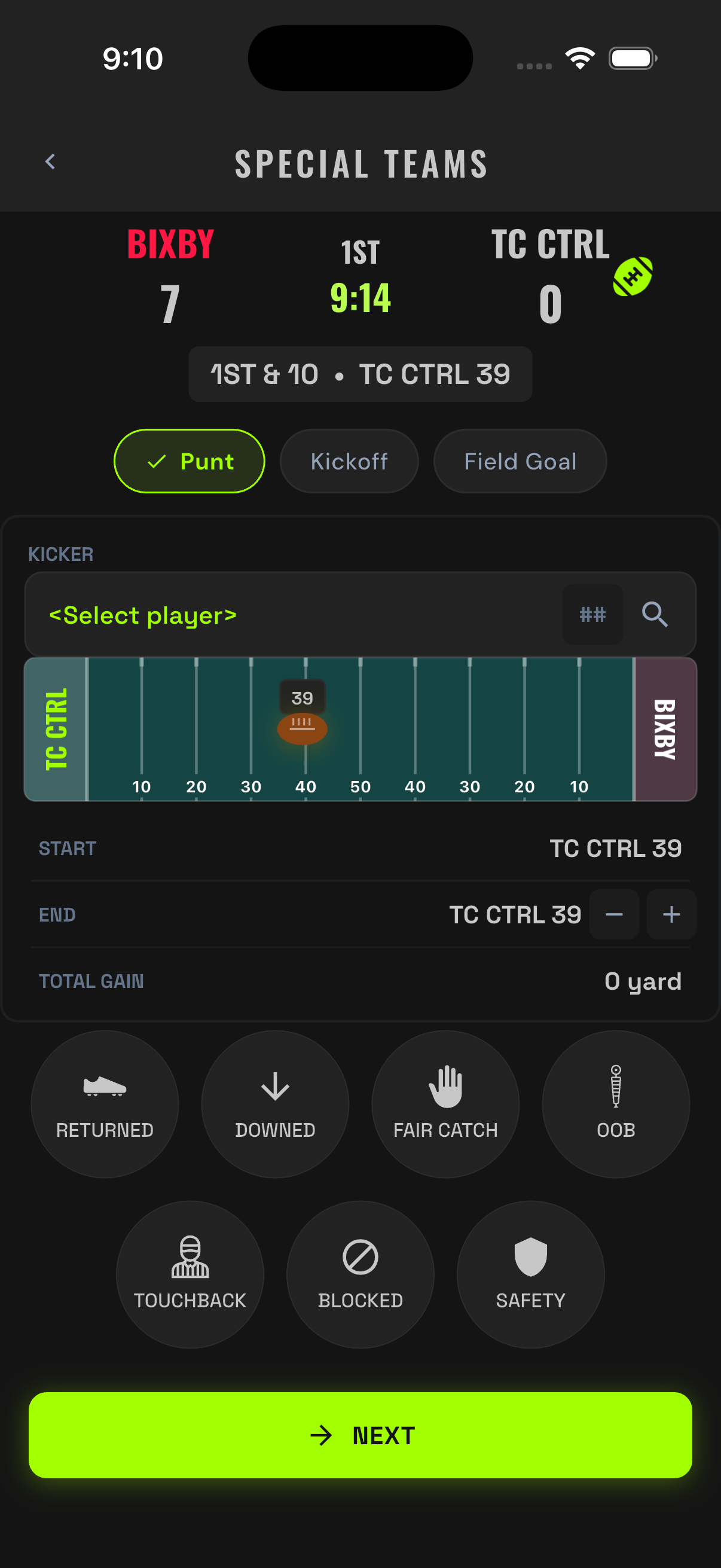
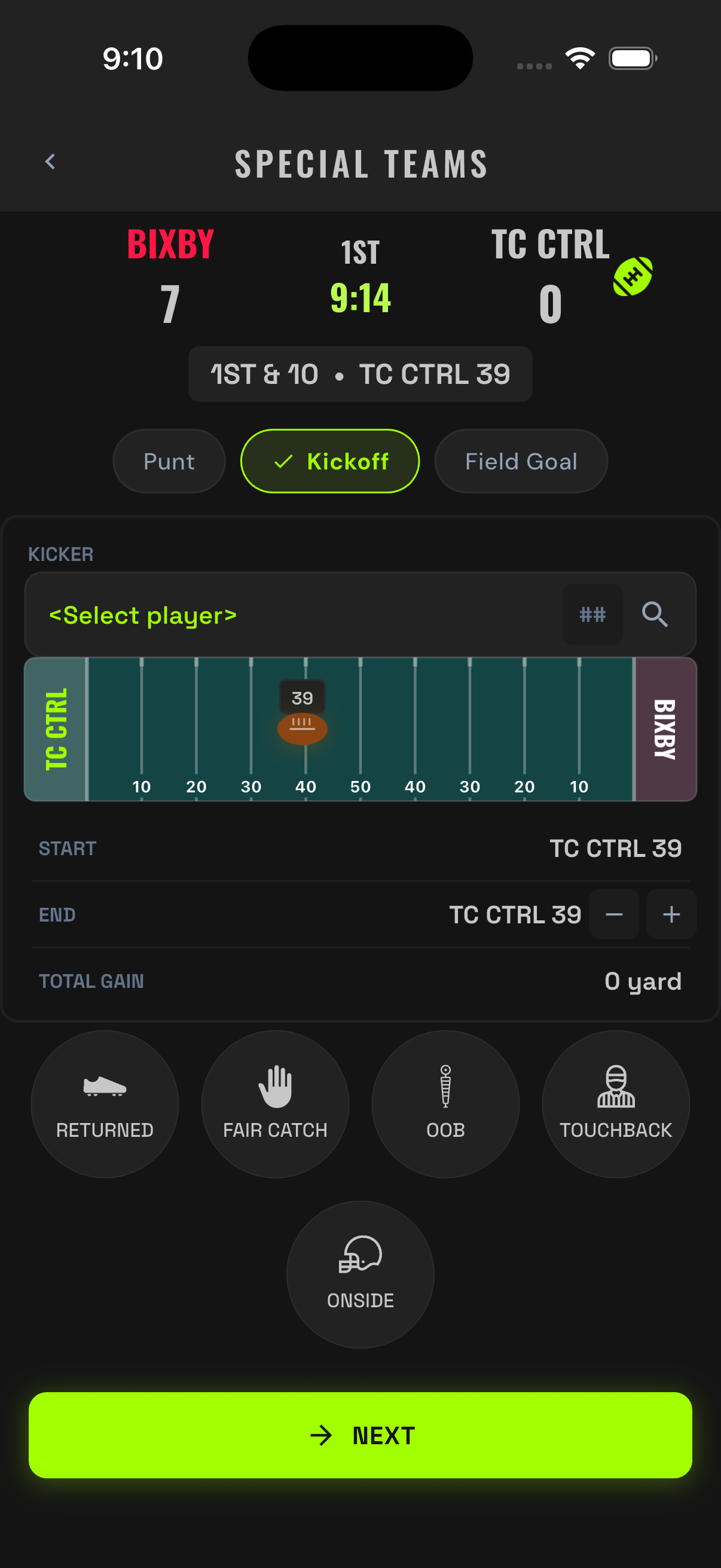
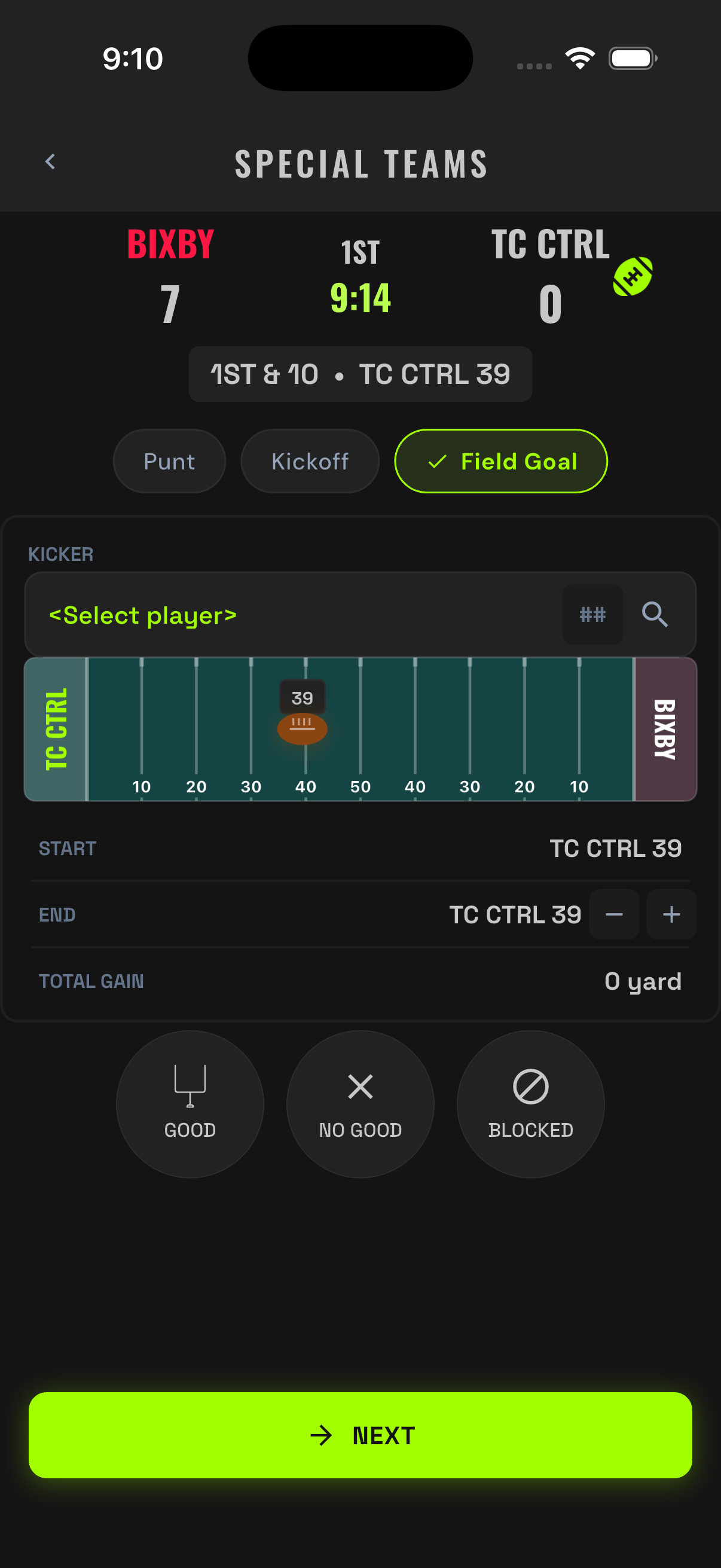
A designed run starts with Run. A dropback starts with Pass — even if it becomes a sack or a pick. A kick starts with Special Teams. Classify by what the offense did first, and let the prompts sort out the rest.
07Scoring
You never type a score. Points appear because a recorded football event earned them. That protects the record — and protects you from math mistakes under pressure.
Touchdowns
Record the touchdown through the play flow: tag TD on the run or pass that scored. The app adds the six and moves you to the try.
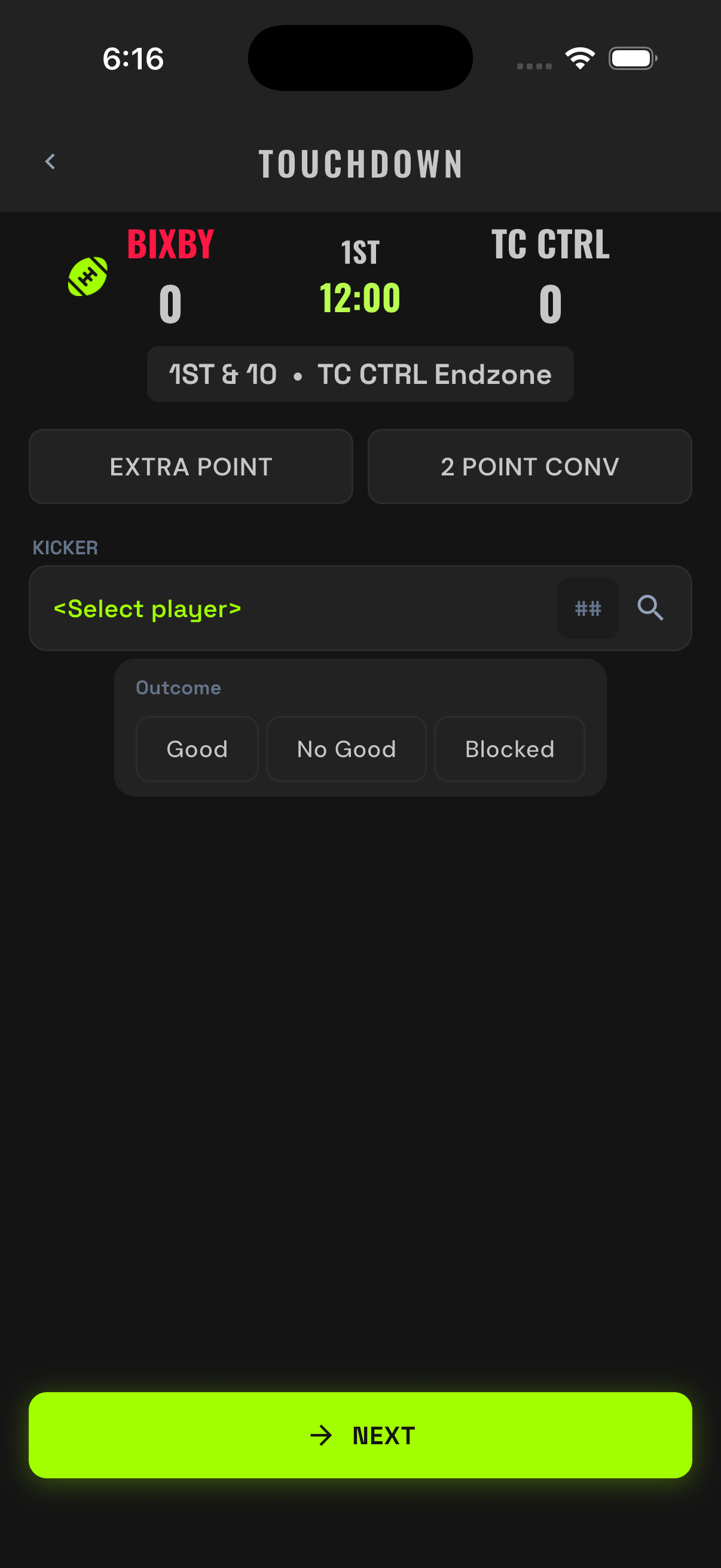
The Try: PAT or Two-Point
- PAT kick: pick the kicker, then Good / No Good / Blocked. Thao #99 drills it — the app adds one.
- Two-point try: record the conversion as good or no good. That's the whole call — the app adds two on good, zero on no good.
Field Goals
Special Teams → Field Goal → kicker → Good / No Good / Blocked. Three points on Good, automatically.
08Turnovers
Turnovers are where most stat crews fall apart. In XO Stats they're two guided flows — fumble and interception — and the app handles possession, drives, and down-and-distance for you.
Fumbles
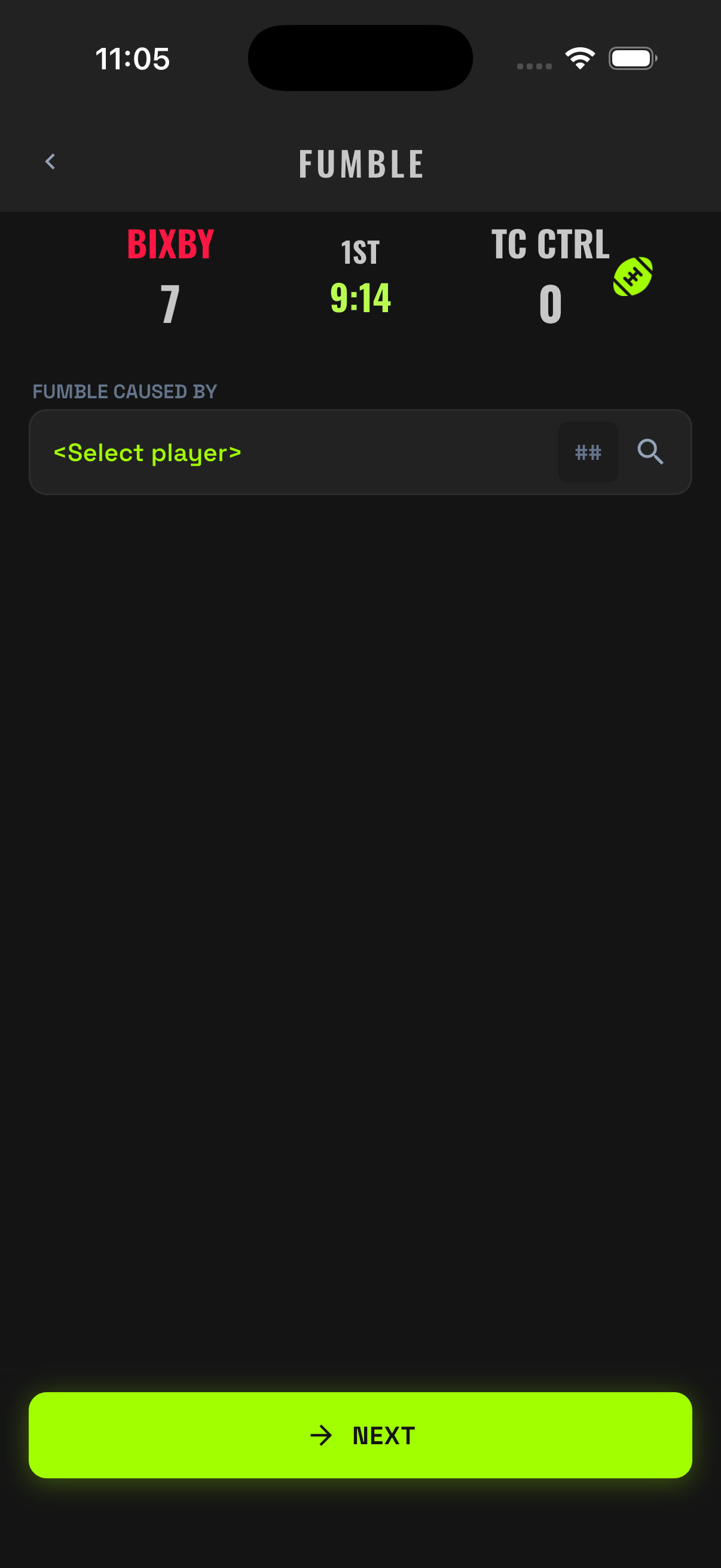
- Record the play as normal (Run or Pass) and tag the Fumble bubble.
- Enter who caused the fumble (if applicable).
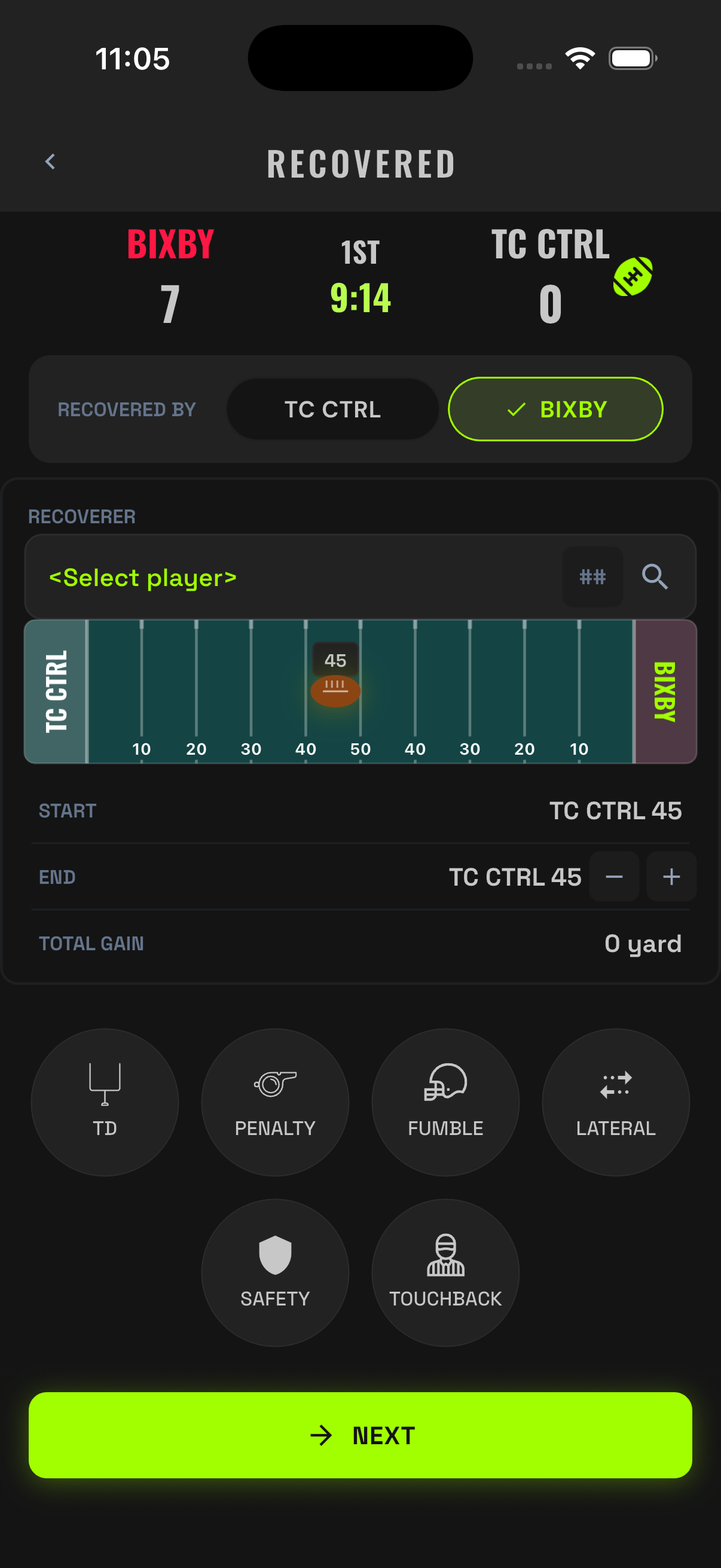
- Who recovered & if there was a return.
- Save. If the defense recovered, possession flips and a new drive starts automatically.
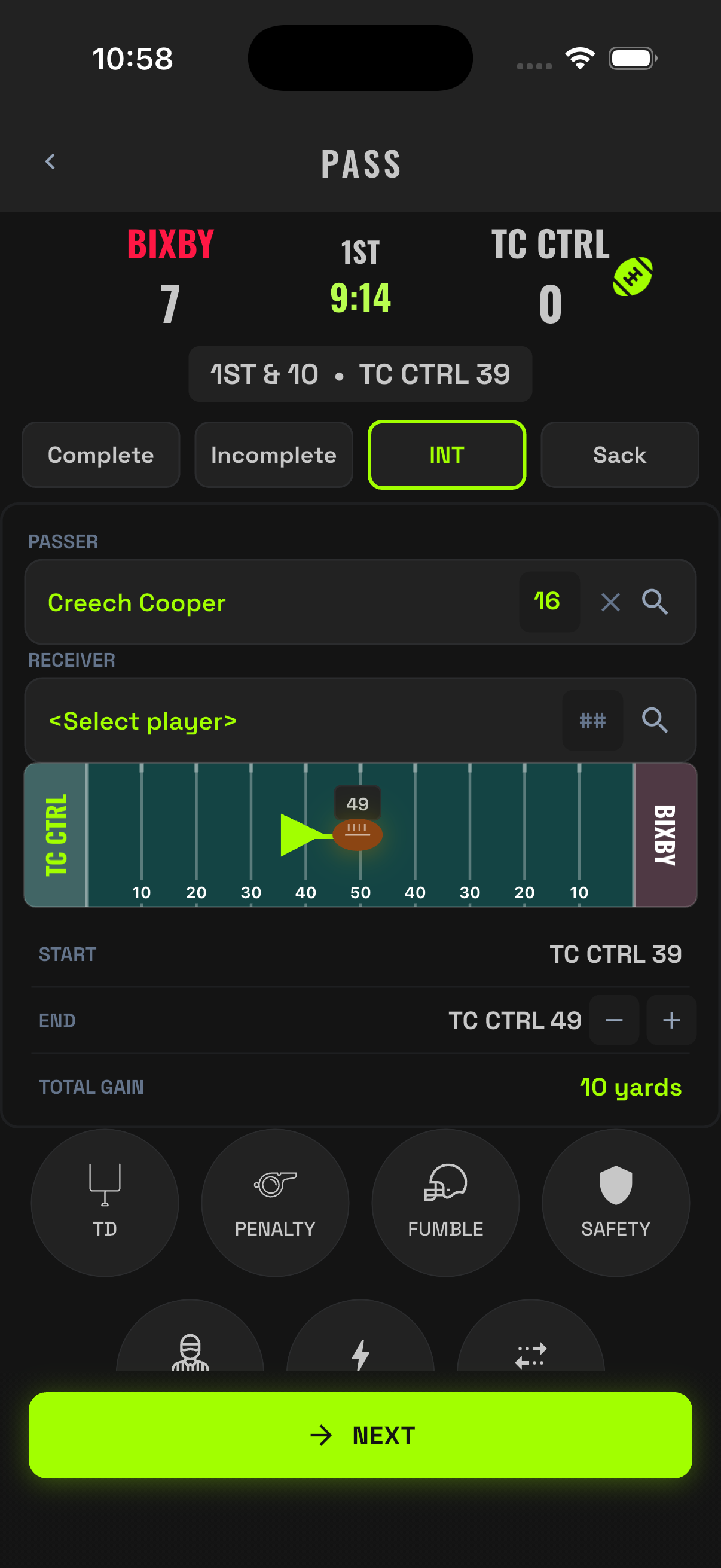
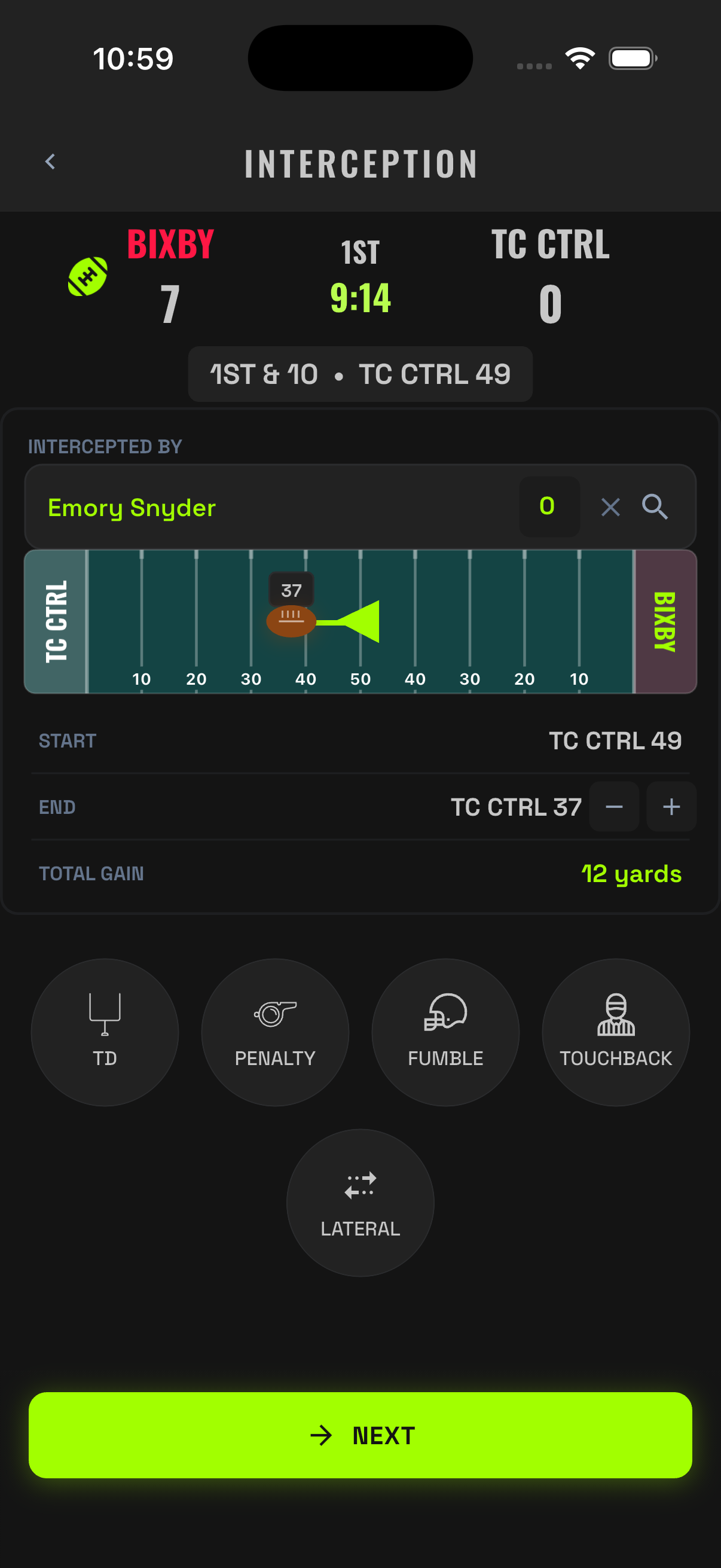
Interceptions
- Tap PASS and pick the passer as usual.
- Drag the ball to where the INT occurred.
- Pick the defender who made the INT.
- Save. Possession flips; the pick and return yards land on the defender, the INT lands on the passer.
09Penalties
XO Stats records accepted penalties — the ones that actually moved the ball. If a flag is declined or offsetting flags wash out, nothing changed on the field, so nothing goes in the record. Track the game as it stands after the referee's signal.
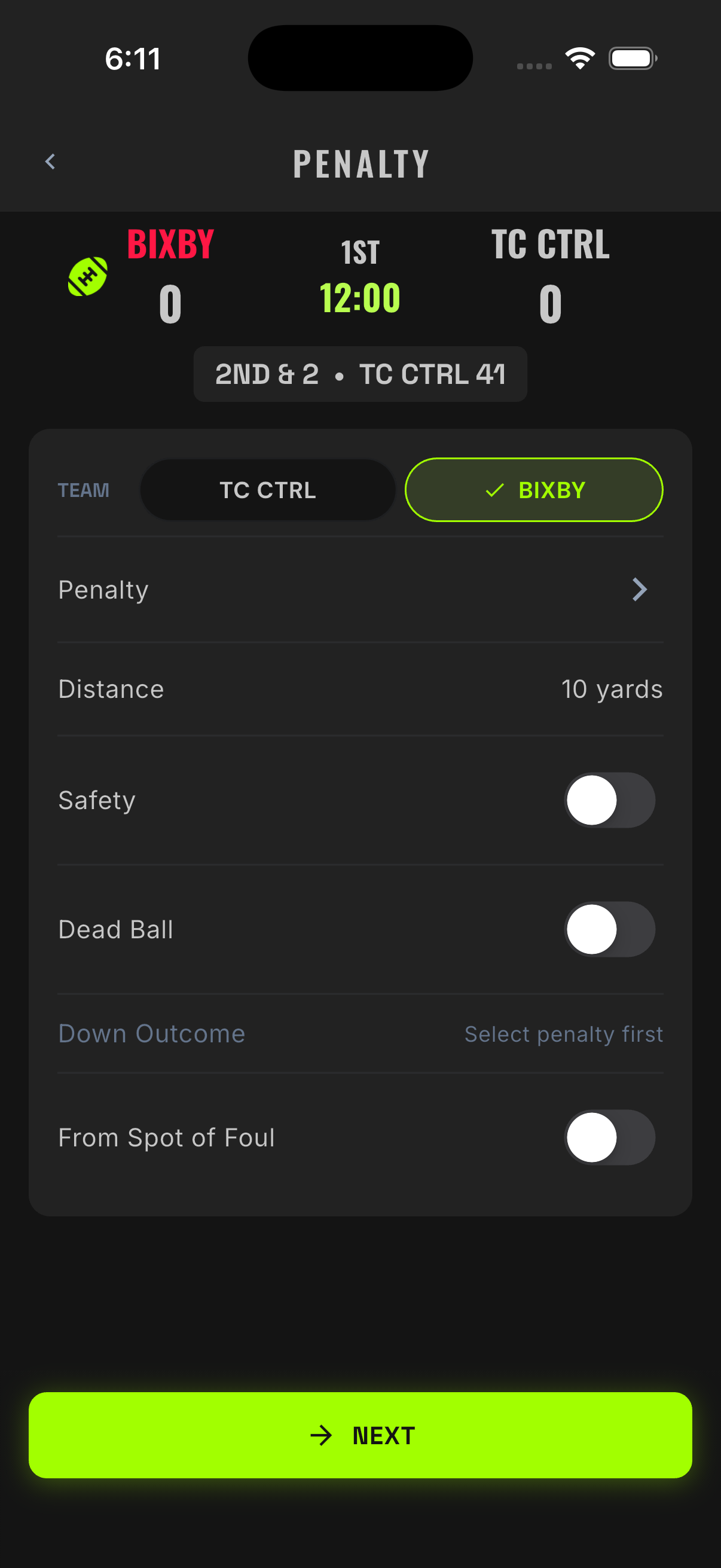
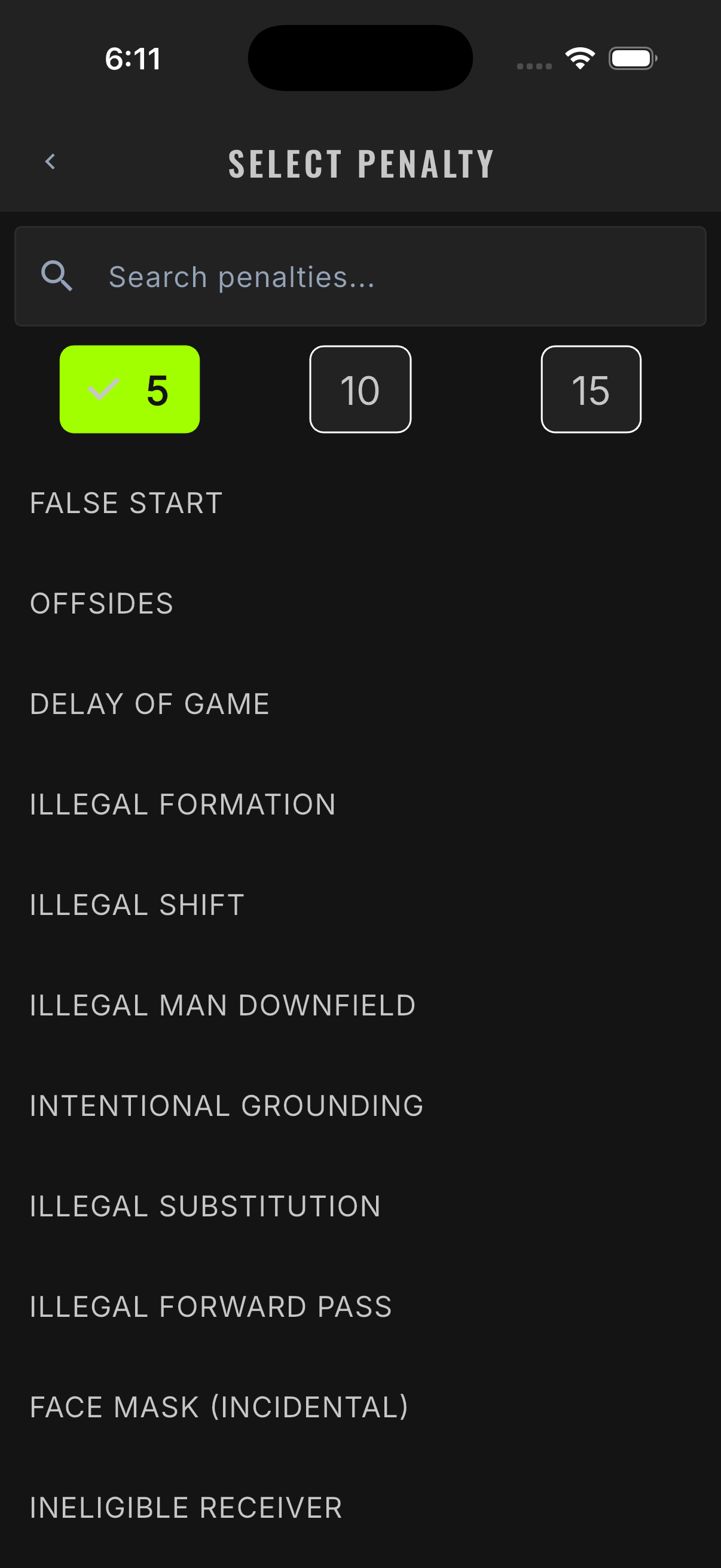
Standalone Penalty (Between Snaps)
False start, offsides, delay of game, encroachment — flags with no play attached.
- Tap PENALTY on the four-button pad.
- Pick the penalty from the searchable list (or the common-penalty shortcuts).
- Set which team committed it and the player if announced.
- Confirm the enforcement spot. The app moves the ball and resets the down and distance correctly.
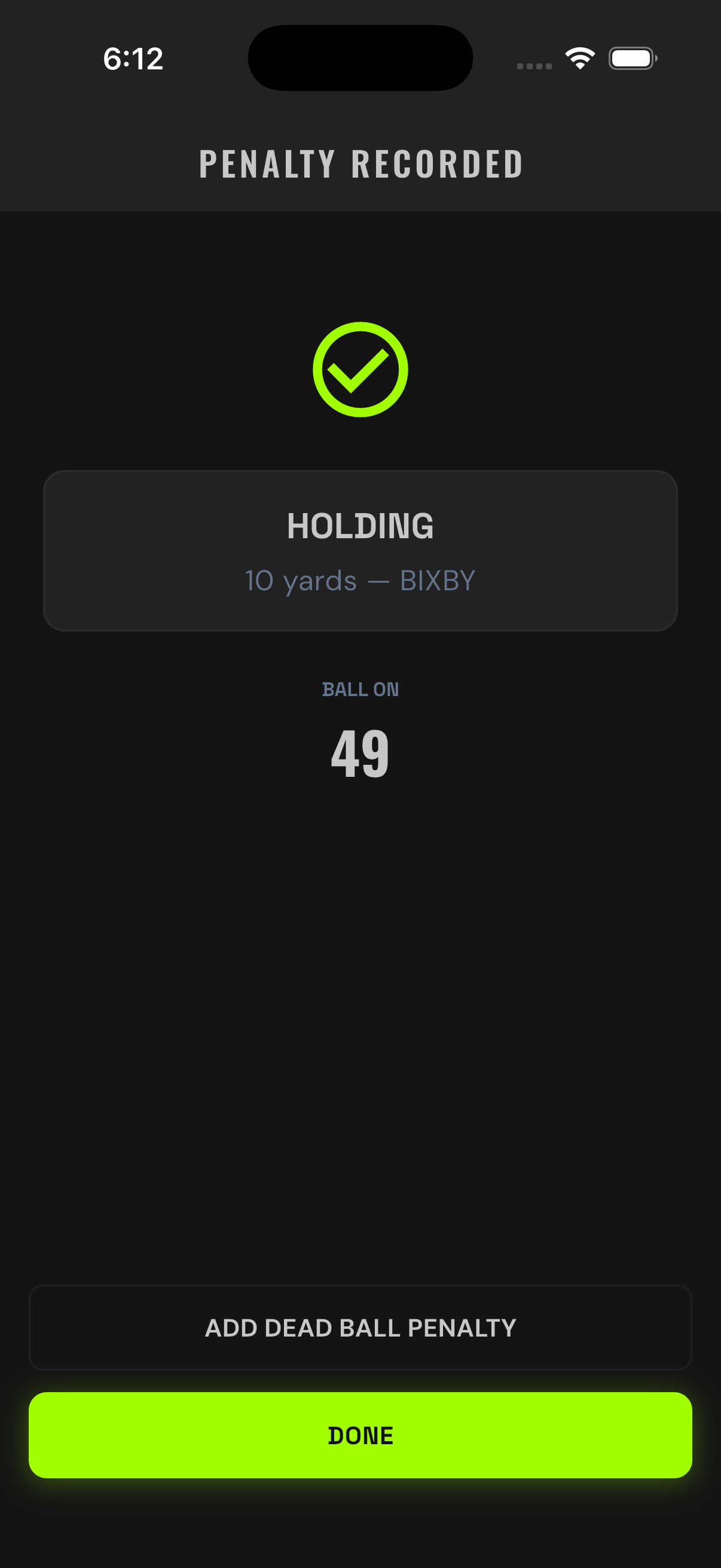
Penalty During a Play
When a flag comes during a live play that stands (holding on a completed pass, facemask on a run), record the play first and tag the Penalty bubble in the flow. The app walks you through the flag and the enforcement on top of the play result.
Skip it. The record tracks accepted enforcement only. Log the play as it stood and move to the next snap.
10In-Game Corrections
Mistakes happen at full speed. Fix them the moment you see them — the sooner you correct, the less there is to unwind.
Undo Last Play
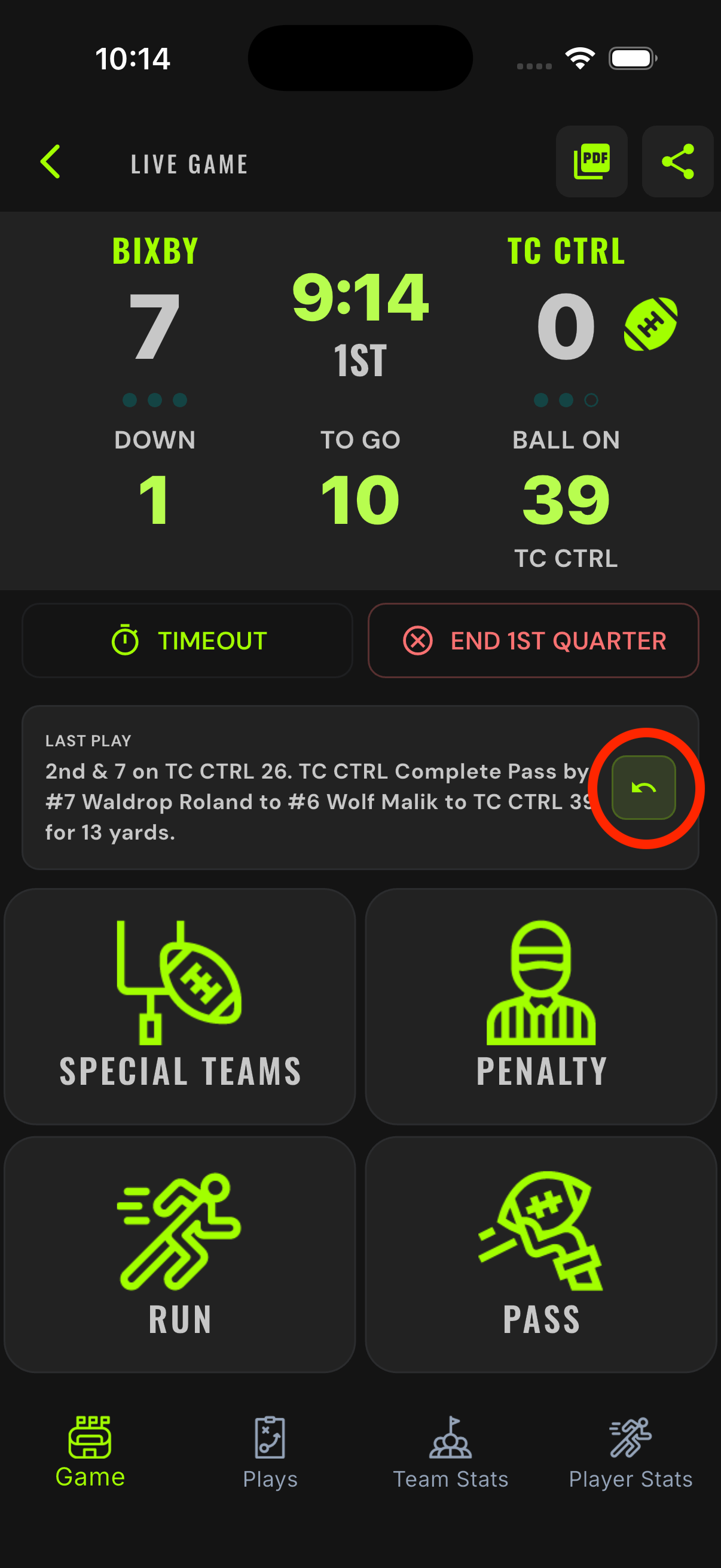
Fat-fingered a save? Tap the undo arrow on the Last Play card on the game board. The engine rolls back the score, spot, down, and stats that play created. Then re-enter it correctly.
11Offline & Reconnect
Stadium Wi-Fi dies. Cell coverage drops in the bowl. Your job doesn't stop — and neither does XO Stats.
How Offline Works
- Every play saves locally on the device first. Tracking never depends on signal.
- When the connection drops, a cloud-off icon appears on the game screen. That's your indicator — keep tracking exactly as before.
- When signal returns, the app syncs automatically. No button to press, nothing to re-enter.
While you're offline, the live scoreboard link won't advance for fans — it catches up the moment you reconnect. Your record on the device is always complete.
12Quarters, Halftime & Overtime
The clock and quarter transitions are one button each. Overtime has presets so you're not configuring rules at 10 PM.
Ending a Quarter
When the quarter expires, tap End Quarter. The app rolls to the next quarter and resets the clock. At halftime, the same flow carries you into the third quarter, where you confirm the second-half kickoff direction (teams switch ends).
Overtime
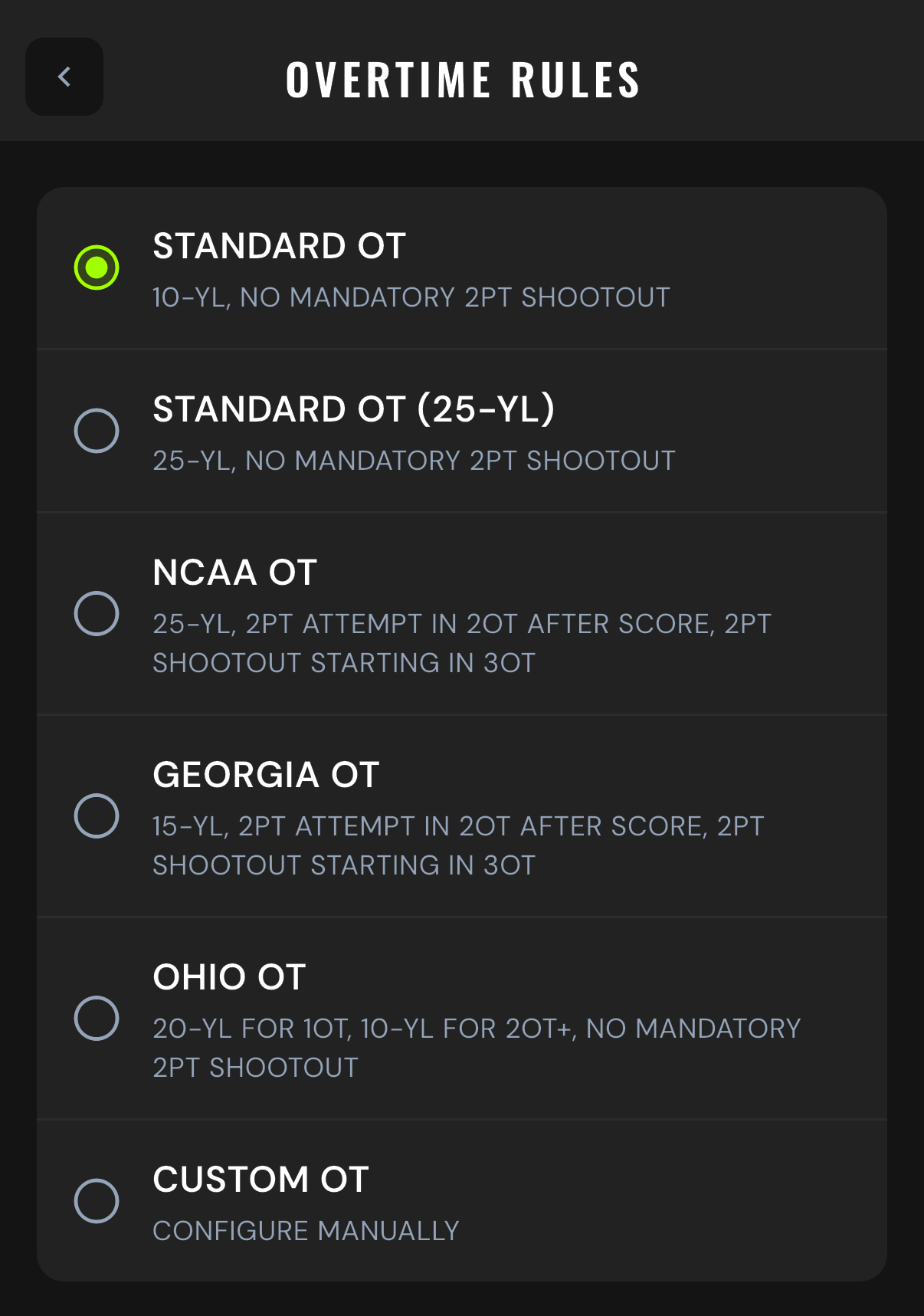
If the game is tied at the end of the fourth quarter, the app moves to the overtime start flow. OT rules come from presets in Settings → Overtime Rules — set them before the season, not during the game:
| Preset | Rules |
|---|---|
| Standard OT (default) | Possessions start at the 10-yard line; no mandatory 2-point shootout. |
| Standard OT (25-YL) | Possessions start at the 25; no mandatory 2-point shootout. |
| NCAA-style | 25-yard line; 2-point attempt required in 2OT after a score; 2-point shootout starting in 3OT. |
| Split-yardage | 20-yard line for 1OT, 10-yard line for 2OT and beyond; no mandatory shootout. |
Your state association's format may differ — check the presets against your rulebook and pick the match. You can also adjust the starting yard line.
Timeouts
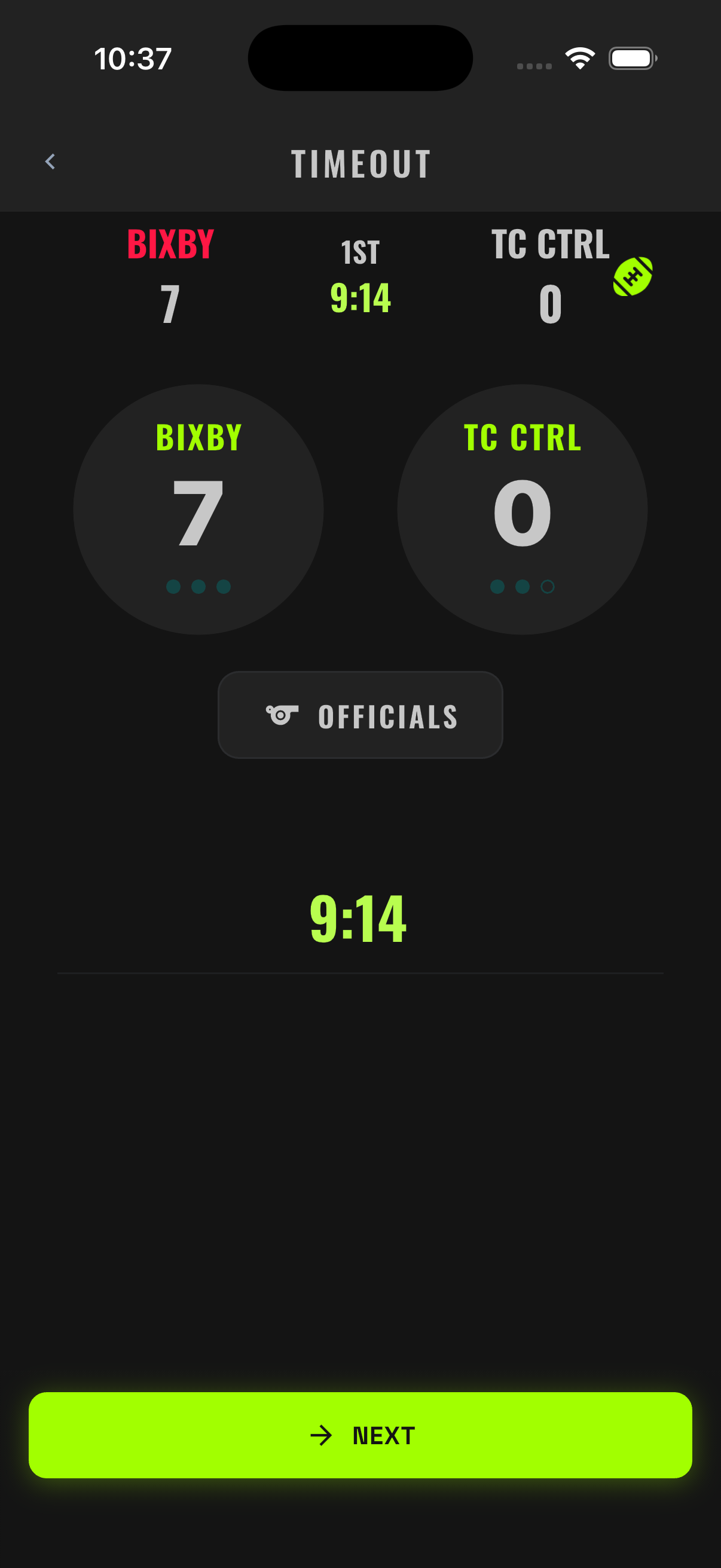
Tap the dedicated TIMEOUT button on the game board (next to END QUARTER) — pick the team, and the app decrements their remaining timeouts on the board (and on the live scoreboard).
13Live Stats
Stats aren't a separate chore after midnight. They're the byproduct of disciplined Game Tracking — building live, every save.
Team Stats
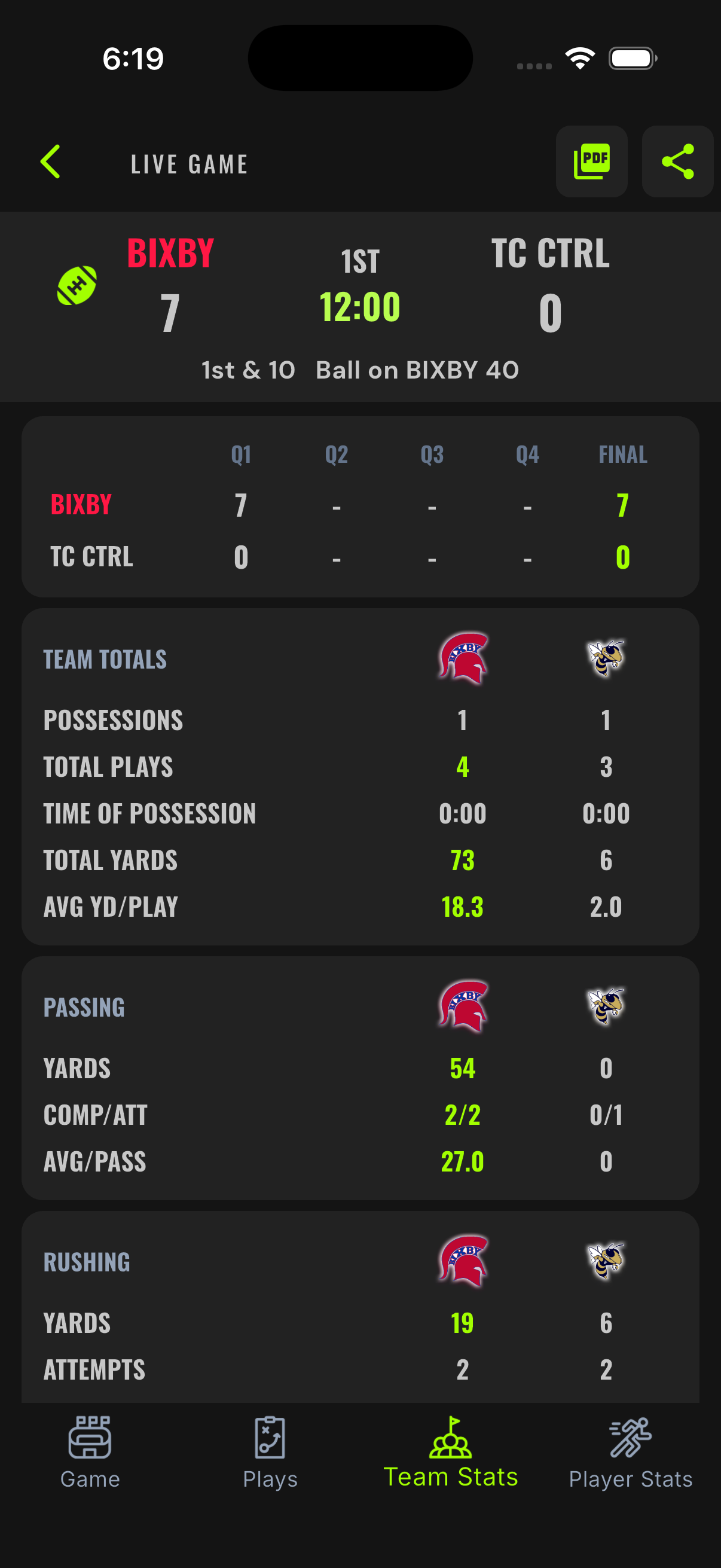
The Team Stats tab shows both teams' totals updating as the game moves: score, first downs, rushing yards, passing yards, total yards, turnovers, penalties, and more.
Player Stats
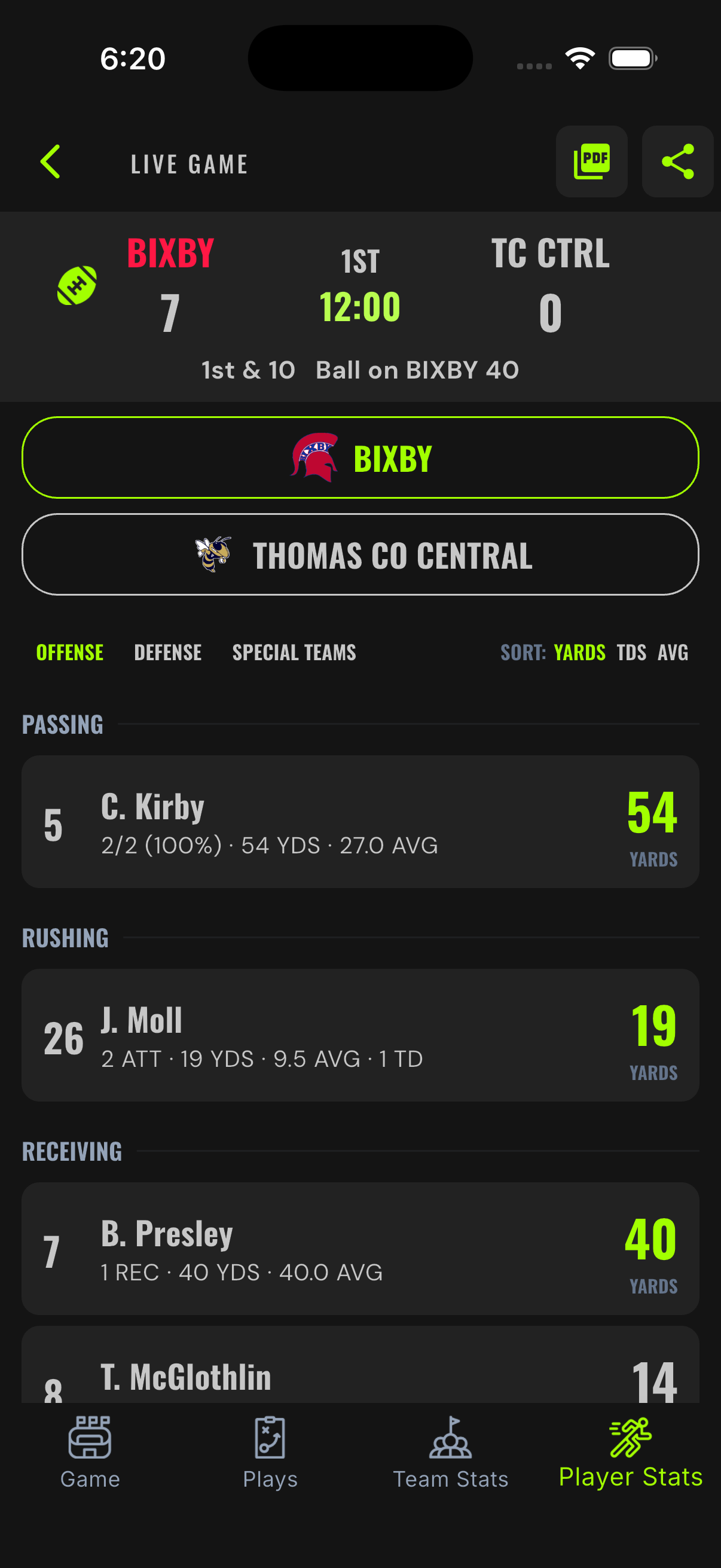
The Player Stats tab breaks the same play record down by player, across categories: passing, rushing, receiving, defense, kicking, kickoffs, punting, and kick/punt returns. When Kirby #5 hits Presley #7 for 40, both stat lines move before the next snap.
Live team stats answer sideline questions — are we winning the rushing battle, how many trips have ended in points — while the game is still winnable.
14Game End & Reports
Final horn, box score ready. This is the payoff for staying disciplined all night.
Ending the Game
End the fourth quarter (or the deciding OT period) and the game finalizes. The complete play record becomes the final box score — no export step, no rebuild on Sunday morning.
Generate PDF Report
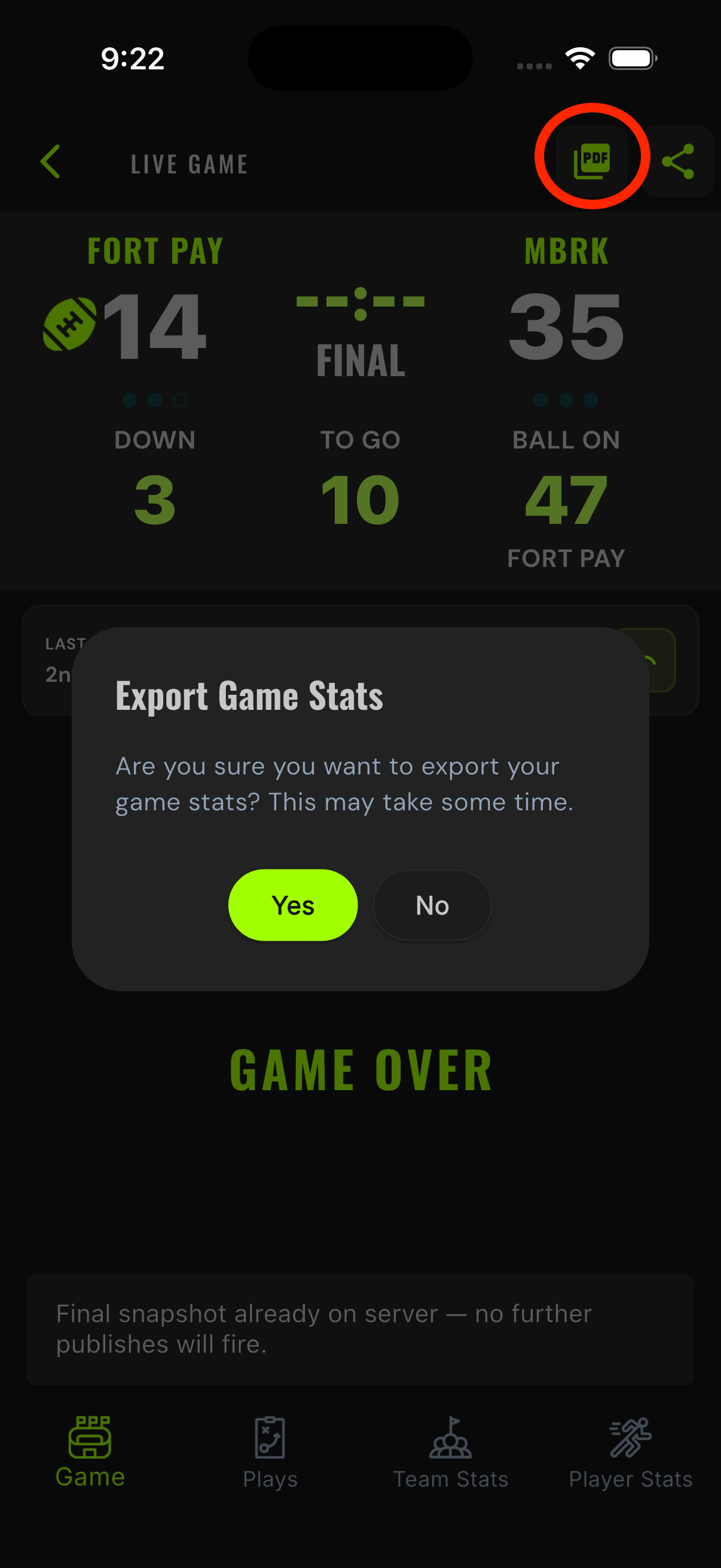
At halftime or at the end of the game, the PDF button in the top right corner of the screen can instantly generate a box score — instantly shareable via text, AirDrop, email, or even printed.
The Seven-Day Edit Window
After a game is finalized, you have a fixed seven-day window to make corrections — fix a misattributed tackle from film. After seven days, the record locks as the verified account of the game. That lock is what makes these Verified Stats: numbers built play-by-play as the game happened, then sealed.
Watch the film within seven days of the game. Correct anything you catch while the window is open. Then the book is closed and the numbers stand.
15The Admin Dashboard
admin.xostats.com is the desk side of XO Stats — setup before the game, review after it. Here's the map.
Your Team's Tabs
| Tab | What lives there |
|---|---|
| Details | Team name, mascot, colors, logo, classification. |
| Subscription | Your program's plan and billing status. |
| Users | Who has access — the team owner and members. |
| Roster | The full player list — add and edit players from a desk instead of a phone. |
| Games | Every game on the record, with per-row download and share-link actions. |
| Defensive Stats | Defensive stat entry and review for your games. |
| Reports | Season and game reports built from your verified play data — box scores are generated here (Game Reports → pick a game → Box Score → Download PDF). |
| Custom Reports | Build your own report views over the same data. |
The Schedule view is its own top-level page in Admin — manage the season calendar there.
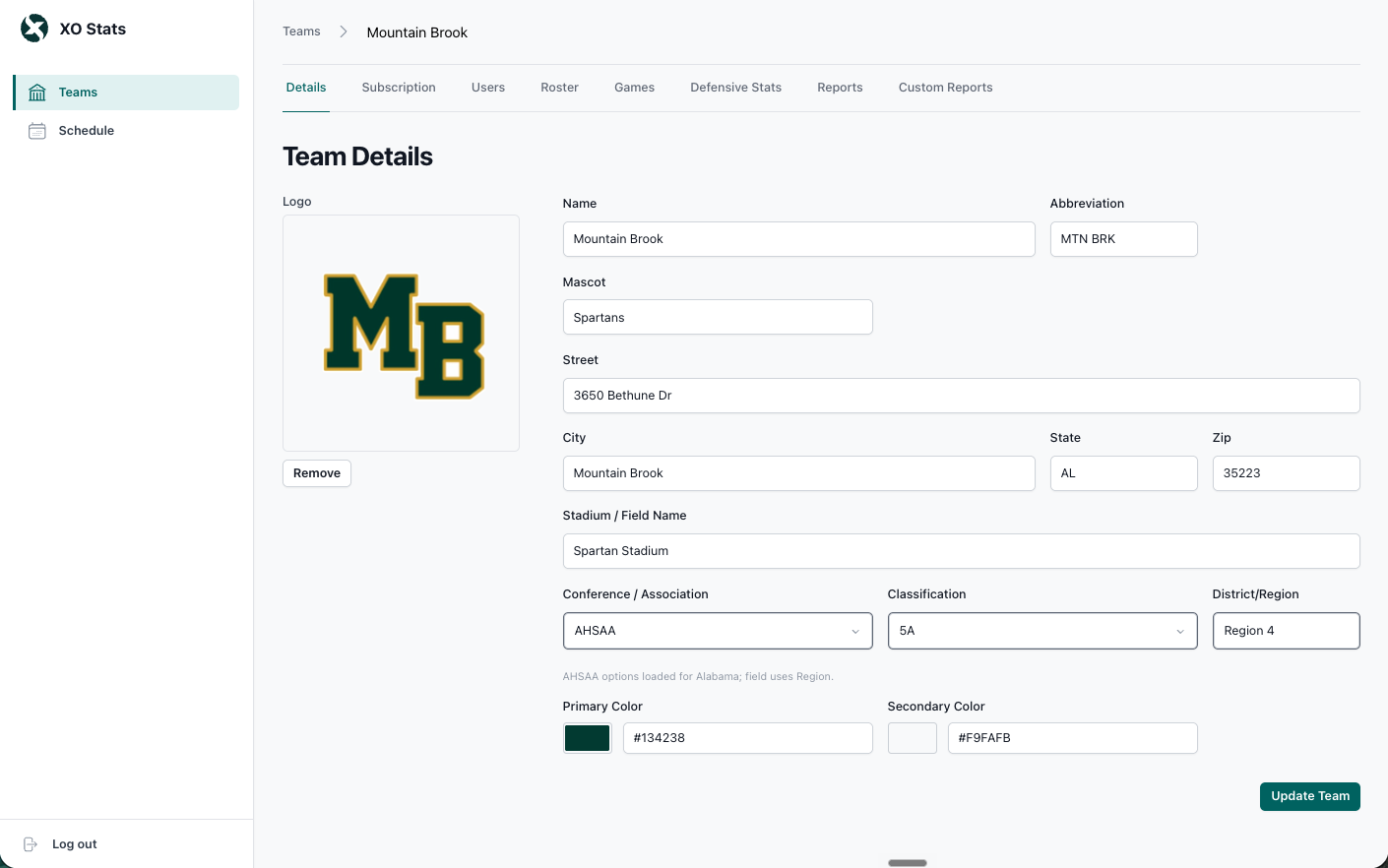
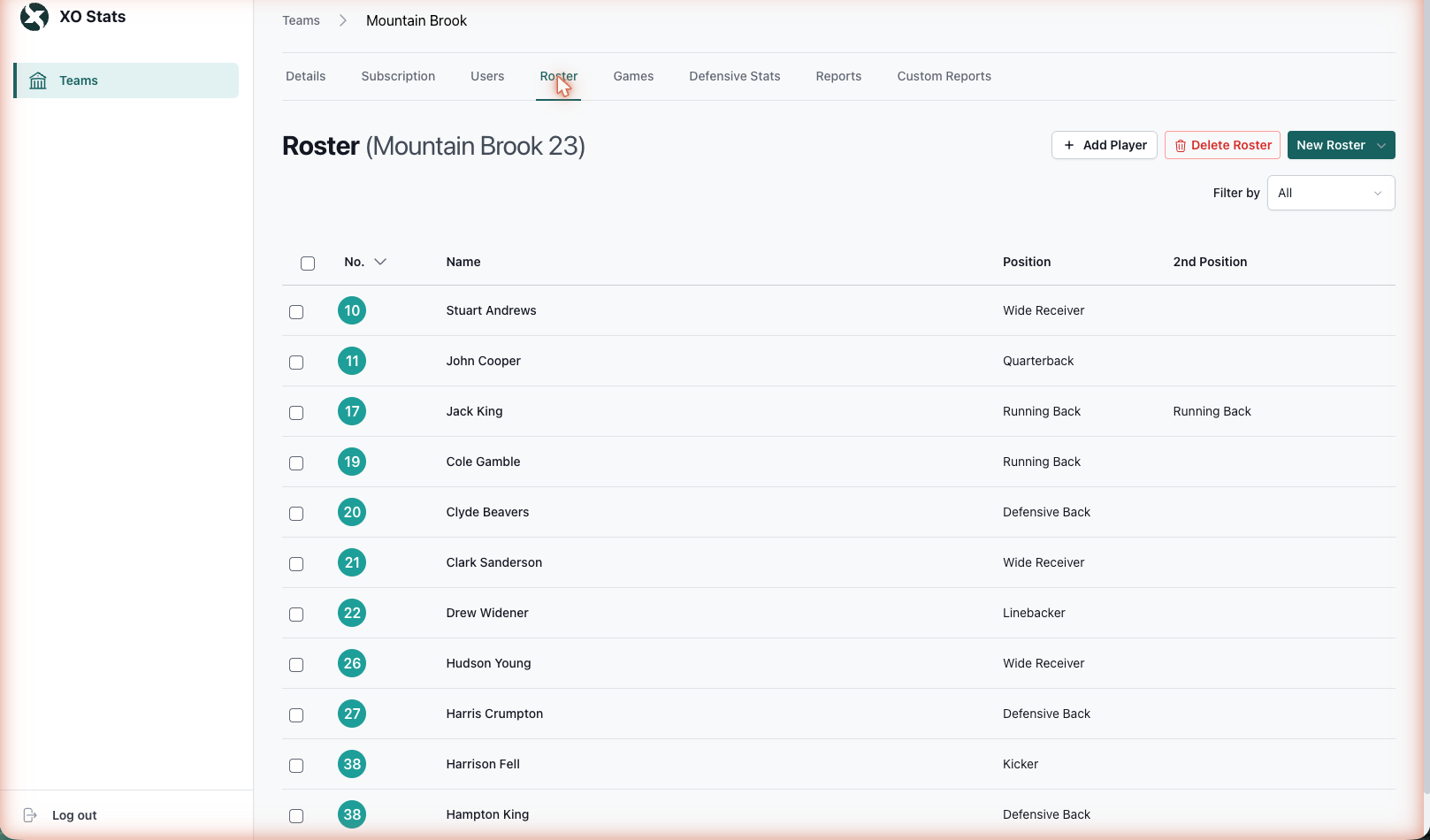
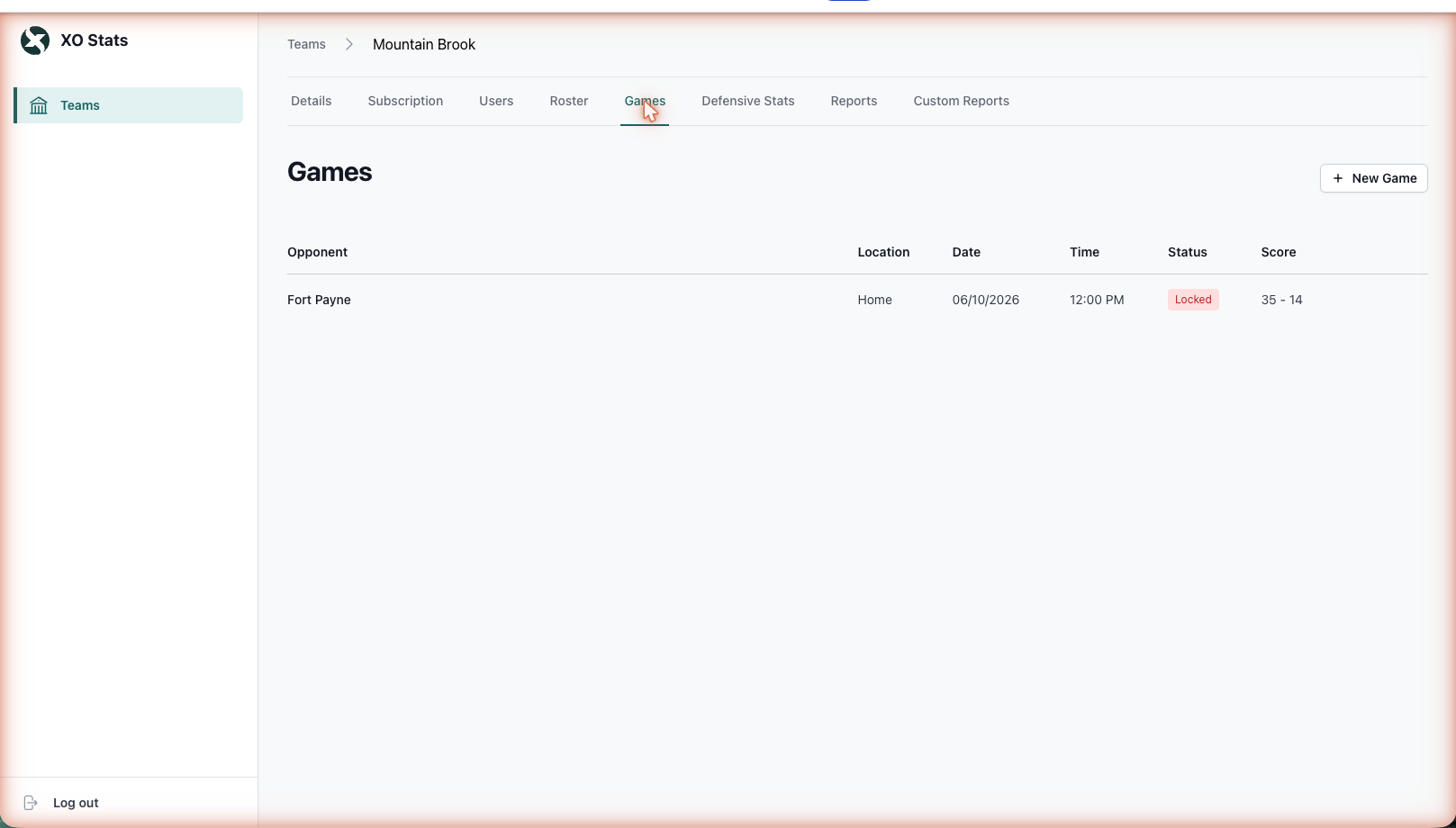
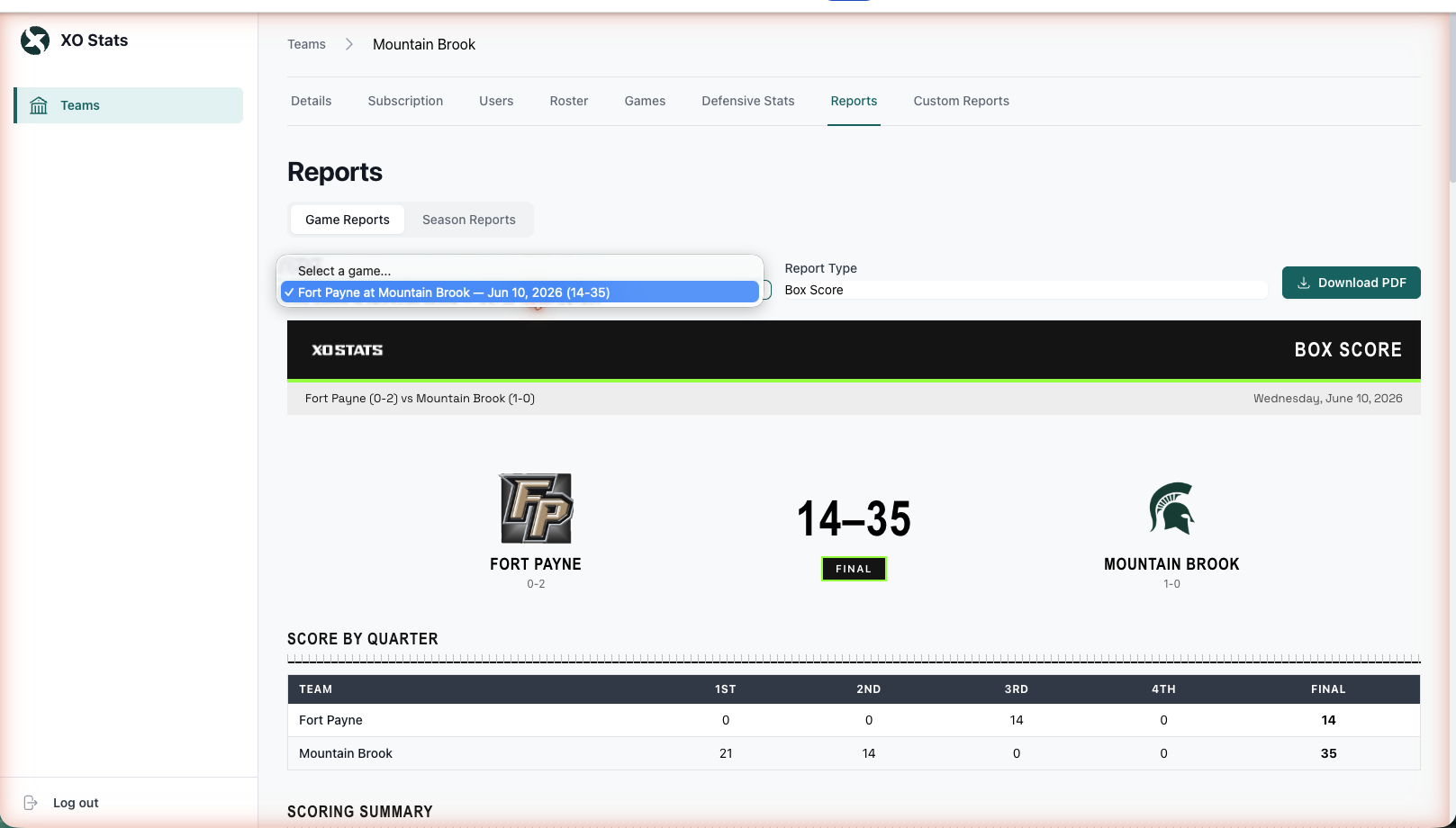
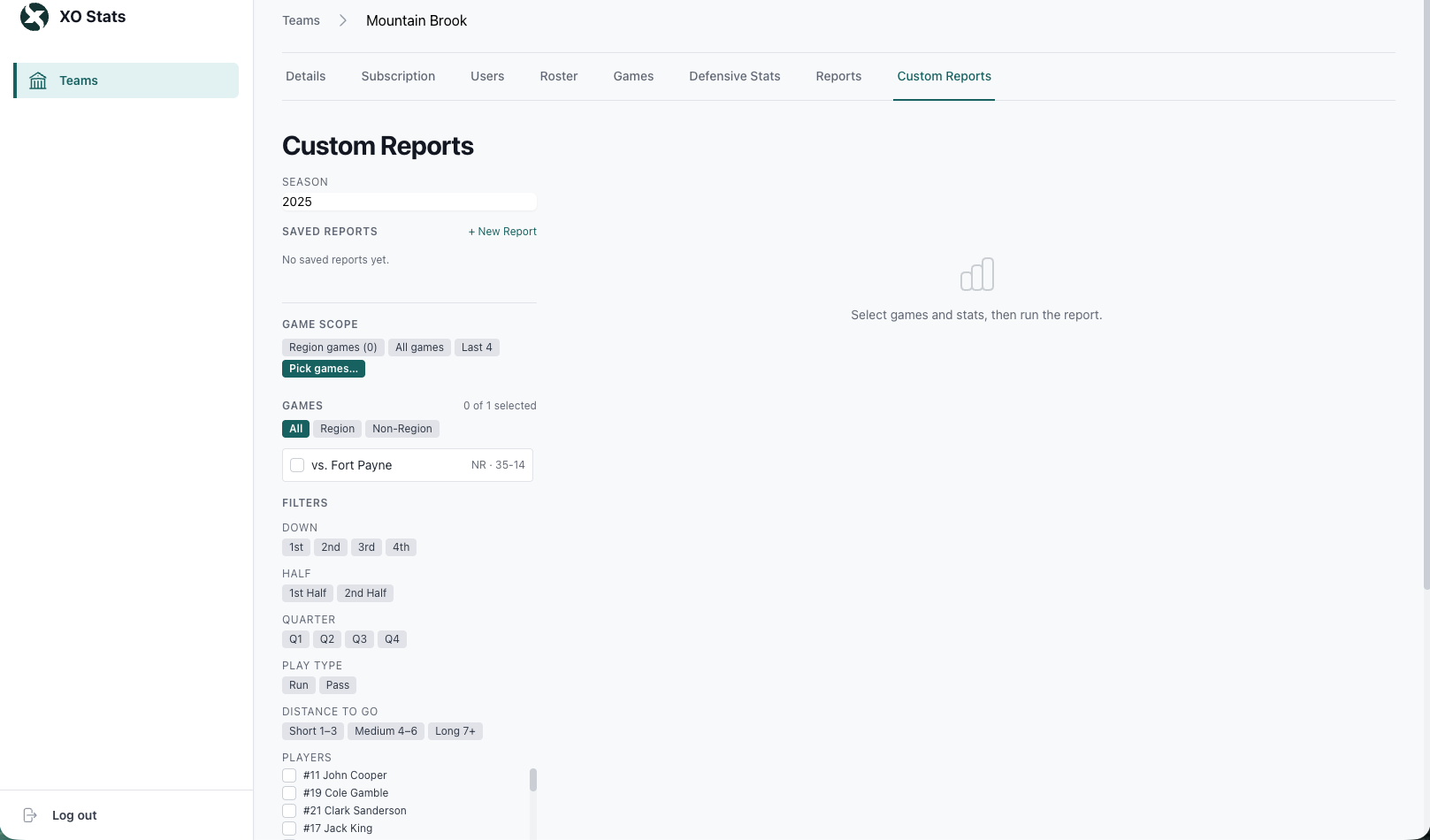
Admin is for coaches and staff before and after the game. The app is for the Stat Keeper during it. If you're doing setup work on the sideline at 6:55 PM, something upstream got skipped.
16Troubleshooting
Fast answers to the situations that actually come up on Friday night.
| Problem | Fix |
|---|---|
| I missed a play | Enter it now, as it happened. Then tap-to-edit the down, spot, and clock so the board matches the field, and keep going. |
| Score doesn't match the stadium board | If a scoring play was just mis-entered, undo it and re-enter it correctly — never force the score. (Also consider: the stadium board is sometimes the one that's wrong.) |
| Player isn't on the roster | Use the add-player path inside the player picker: name and number now, position later. |
| Quarter or clock looks stuck | Tap the clock or quarter value on the board and correct it directly. Use End Quarter at the actual quarter break. |
| Wrong team has possession | Check the last play — usually a turnover or kick outcome was mis-entered. Undo it and re-enter it correctly — possession recomputes. |
| Cloud-off icon showing | You're offline. Keep tracking — everything saves locally and syncs automatically on reconnect. See Chapter 11. |
| Can't log in | Confirm you're using the email your team owner registered. Password resets go through the login screen. Still stuck? Contact support via xostats.com — before gameday, ideally. |
| App feels behind the game | Don't try to perfect every play live. Get the core right (ball carrier, result, spot), tag what you saw, and clean up details in the seven-day window. |
Stay with the next snap. A missed detail is recoverable; falling three plays behind is how records unravel.
17Live Scoreboard & Share Link
One link. Parents, fans, and staff who can't be at the game follow the score live — no login, no app install.
Sharing the Game
- Open the game in the Admin Dashboard.
- Open the game's scoreboard view and copy the share link.
- Post it wherever your community lives — team page, booster group, text thread.
Anyone with the link sees the live scoreboard: score, quarter, clock, down and distance, possession, and timeouts, updating as your Stat Keeper tracks the game. No account needed.
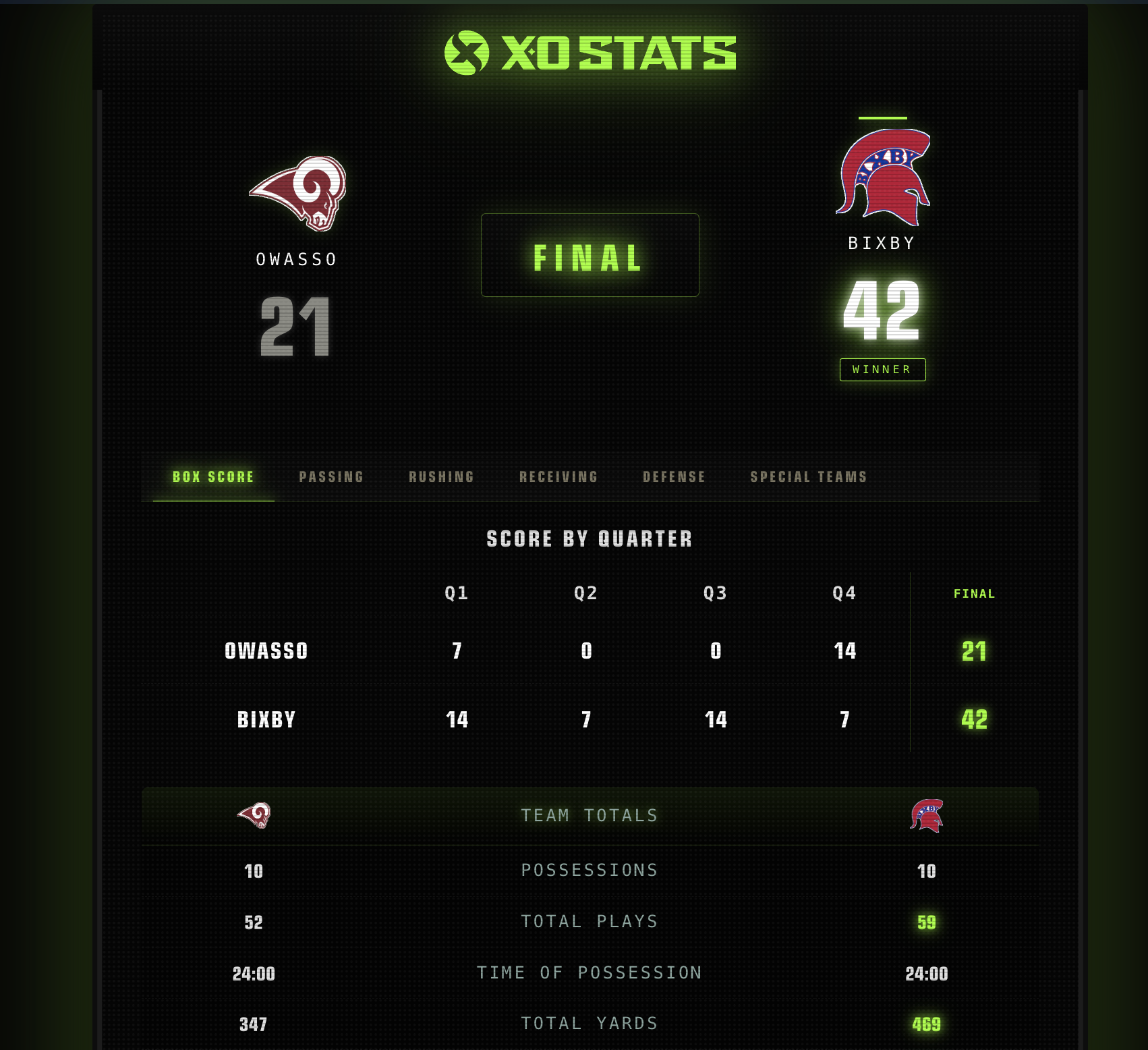
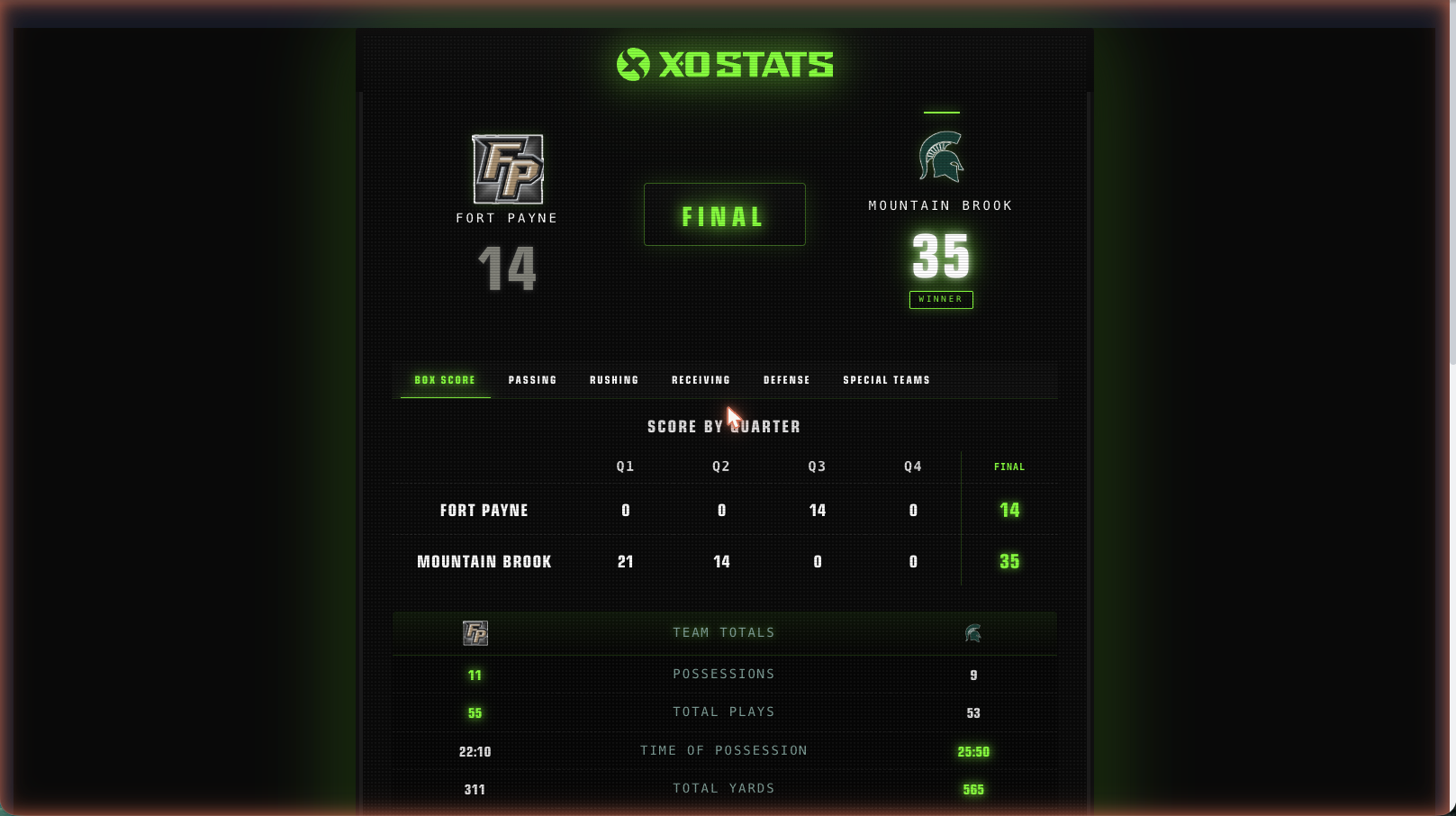
Admin handles the share link. The Stat Keeper handles the game. The scoreboard reflects the tracked action — nothing extra to run on the sideline.
18Advanced Situations
The plays that separate a good Stat Keeper from a great one. None of them require anything you haven't already learned — just the right combination.
Two-Point Conversions, In Depth
After the TD, choose the two-point try instead of the kick. The record is binary: good or no good. The app doesn't track the internal mechanics of the try (who ran what, a fumble on the attempt) — call it good or no good by the referee's signal and move on. Two points on good.
Safeties, In Depth
- Ball carrier tackled in his own end zone: Run flow → Safety bubble. Two points to the defense, free kick coming.
- Punt snapped out of the end zone: Run flow → Bad Snap bubble + Safety bubble. No punt happened, so no punt is charged.
- Blocked punt that ends in the end zone: Special Teams → Punt → Blocked, then Safety. Tap Blocked first; Safety only lights up after it.
- After any safety, the scored-on team free-kicks. Record it through Special Teams like a kickoff.
Bad Snaps
A snap sails over the QB's head: use the Run flow with the Bad Snap bubble. The lost yards count against the team, not the QB: the box score shows the attempt and the loss on a TEAM rushing line. If the QB scoops it up and runs, log a Run instead. If the ball goes out of the end zone, add the Safety bubble on the same play. If it turns into a scramble for the loose ball, the recovery flow handles who came up with it — including a defensive recovery for a score.
Kneels
Victory formation gets its own bubble in the Run flow. Tag Kneel so the negative yard doesn't read like a broken play in the self-scout.
Onside Kicks
Special Teams → Kickoff → Onside outcome, then record who recovered and where. Possession follows the recovery automatically.
Overtime Variants
Chapter 12 covers the presets. The operational note: set your OT preset before the season starts. If you reach a tied Q4 with the wrong preset, you can still adjust the starting yard line in the OT flow — but the parking lot is a bad place to read a rulebook.
Declined and offsetting penalties (no enforcement, no entry), and lateral chains behind the line. Record the primary ball carrier and result. Simple entries, verified numbers.
AGlossary
| Term | Meaning |
|---|---|
| XO Stats | The coach-facing product: the mobile app, Admin Dashboard, and live scoreboard link. What this guide covers. |
| XO Scores | A separate fan-facing scores product (Fall 2026). Not the app in this guide. |
| Stat Keeper | The person running Game Tracking in the app during a live game. |
| Game Tracking | Live play-by-play entry during the game — the core sideline workflow. |
| Verified Stats | Stats built play-by-play as the game happened, correctable for seven days, then locked as the verified record. |
| The four buttons | Run, Pass, Special Teams, Penalty — the entry points for every play. |
| Play-by-play / ledger | The ordered record of every play. The single source the score, drives, and stats are computed from. |
| Drive | One team's continuous possession. Built automatically from the plays you enter. |
| Game board | The main in-game screen: score, quarter, clock, down & distance, spot, possession, four buttons. |
| Field arrow | The direction-of-play setting from the coin toss. Tells the engine which way yardage counts. |
| Practice Mode | Sandbox game with demo teams TEAM A and TEAM B. Nothing saves to your program. |
| Owner / Member | The two team roles. The owner manages access; members track and view. |
| Concierge setup | XO Stats provisions your team, roster bulk-load, and accounts for you — you just log in. |
| Box score | The final game report: score by quarter, team stats, player stats. Ready when the game ends. |
| Seven-day window | The fixed correction period after a game finalizes, before the record locks. |
| Share link | The public live-scoreboard URL from Admin. No login required to view. |
| Cloud-off icon | The offline indicator on the game screen. Local saves continue; sync resumes on reconnect. |
| PAT | Point after touchdown — the kick try. The alternative is the two-point try (good / no good). |
BFour-Button Quick Reference
Print this page and tape it to the clipboard.
| Button | Use it for | You'll be asked | Watch for |
|---|---|---|---|
| RUN | Designed runs, scrambles, sacks, kneels, bad snaps | Ball carrier → end spot → outcome bubbles (TD / Penalty / Fumble / Safety / Touchback / Bad Snap / Kneel) → tackler | Sacks are rush attempts. Bad snaps are a team rush. Tag Kneel in victory formation. |
| PASS | Every dropback: complete, incomplete, interception | Passer → receiver/target → result & spot → outcome bubbles → tackler | Yards count on completions only. Picks flip possession automatically. |
| SPECIAL TEAMS | Kickoff, punt, field goal, PAT | Kick type → kicker → outcome (returned / fair catch / touchback / OOB / downed / onside / good / no good / blocked / blocked + safety) → returner & spot if returned | Onside kicks: record who recovered. FG/PAT: Good adds the points for you. |
| PENALTY | Standalone flags between snaps | Penalty from the picker → team → player → enforcement spot | Accepted flags only. Flag during a play? Tag the Penalty bubble inside that play instead. |
Classify → answer the prompts → save → next snap. You never type a score. Fix mistakes the moment you see them. Stay with the next snap.
CSupport
- Help & guides: xostats.com/help
- Account or access issues: your team owner, or the claim-your-team path at xostats.com
- Bulk roster load & new-program setup: contact XO Stats through xostats.com — concierge setup is included
- During game week: reach out before Friday. Setup problems are solvable on Tuesday; they're painful at 6:55 PM.